Some links on PCFix411 may earn a commission from GearReady, software partners, or Amazon Associates at no extra cost to you.
PS4 Pro vs Xbox One X vs budget gaming PC in 2026 sounds like a comparison from the past, but it is still relevant for buyers who care about used hardware, mature game libraries and getting the most gaming for the least money. The key is understanding what these eighth-generation premium consoles still do well—and what a modern PC now does dramatically better.
PS4 Pro and Xbox One X were designed to stretch the eighth generation into the 4K-TV era. They remain capable machines for their existing catalogs, but their Jaguar-class CPUs and mechanical hard drives reveal their age. A modern budget gaming PC costs more than a used console, yet even mainstream 2026 parts bring faster CPU performance, NVMe storage, newer graphics features, broader software support and a real upgrade path.
This guide is not about insulting old hardware. It is about deciding whether you should keep what you have, buy one cheaply for a specific library, or put the money toward a PC that can grow.
PS4 Pro and Xbox One X: What the Hardware Actually Is
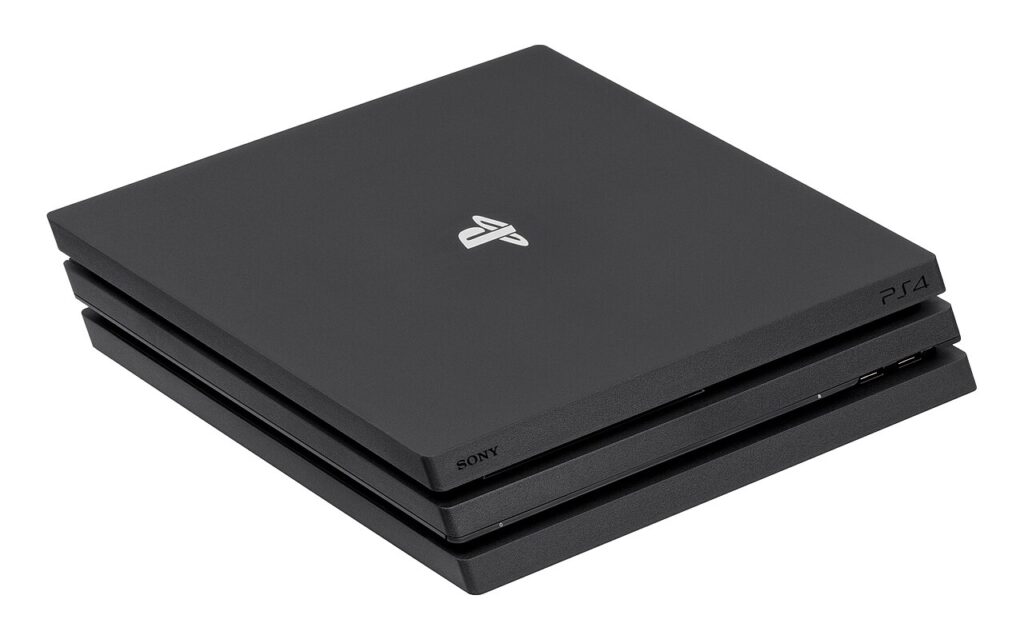
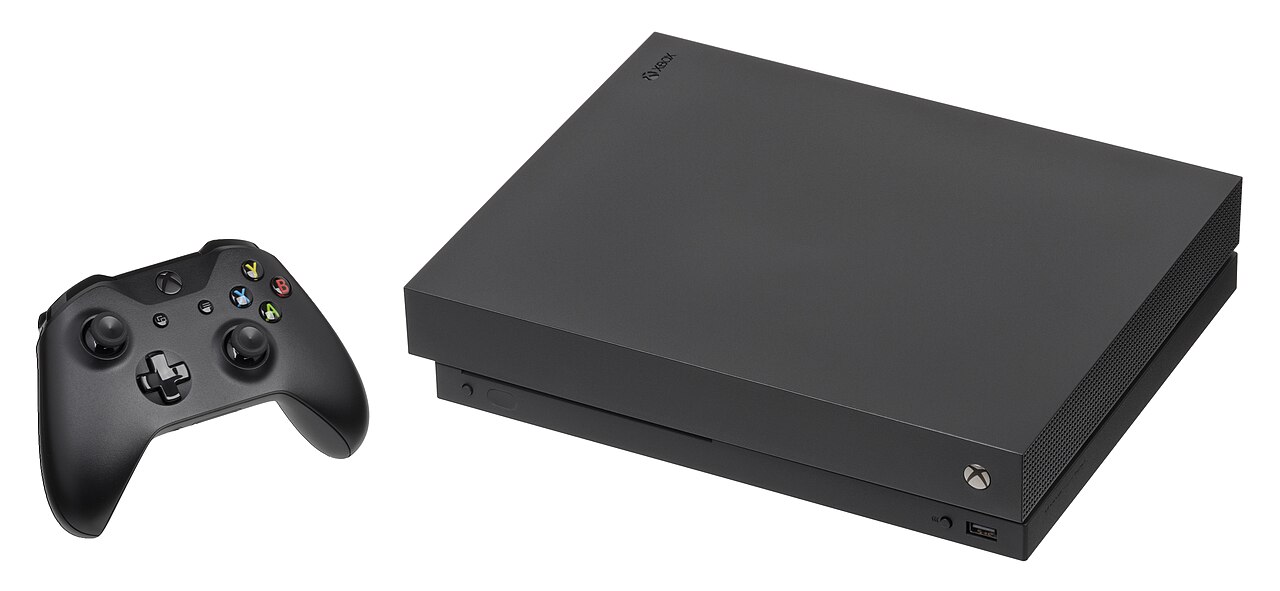
Sony’s official PS4 Pro specifications list an eight-core AMD Jaguar CPU, a 4.20-TFLOP Radeon-based GPU, 8GB of GDDR5 memory and a 1TB hard drive. Microsoft’s Xbox One X spec sheet lists an eight-core custom CPU at 2.3GHz, a 6-TFLOP GPU with 40 compute units, 12GB of GDDR5 at 326GB/s and a 1TB hard drive.
Those numbers mattered in 2016–2017, but they do not translate directly into 2026 PC performance. Architecture, CPU speed, memory systems, APIs, game optimization and storage behavior all changed. A modern GPU with a similar-looking TFLOP number would not necessarily behave like either console.
PS4 Pro vs Xbox One X 2026 Hardware Snapshot
| Specification | PS4 Pro | Xbox One X | Modern Budget Gaming PC |
|---|---|---|---|
| CPU class | 8-core AMD Jaguar | 8-core custom Jaguar-class CPU, 2.3GHz | Modern desktop Ryzen/Core-class CPUs with far stronger per-core performance |
| GPU | 4.20 TFLOPS Radeon-based | 6.0 TFLOPS, 40 CUs | Current discrete GPU, selectable by budget and target resolution |
| Memory | 8GB GDDR5 | 12GB GDDR5, 326GB/s | System RAM + dedicated GPU VRAM |
| Stock storage | 1TB HDD | 1TB HDD | NVMe SSD is now normal |
| Upgrade path | Storage only in practical terms | External storage; core hardware fixed | GPU, storage, memory and often CPU can be upgraded |
Amazon inventory and pricing change frequently. PCFix411 may earn from qualifying purchases.
The Real Limitation in 2026 Is Often the CPU, Not the Old GPU
When PS4 Pro and Xbox One X launched, the conversation centered on 4K graphics. In 2026, the older CPU architecture is just as important. Modern games can depend heavily on CPU performance for simulation, physics, crowds, streaming assets, AI and high frame rates. A stronger GPU cannot fully solve a CPU bottleneck.
This is one reason newer consoles and PCs feel more responsive even before you compare visual settings. Their CPU and storage subsystems were designed around a newer performance baseline.
Hard Drive vs SSD: The Upgrade You Feel Every Session
Both PS4 Pro and Xbox One X shipped around mechanical hard drives. Modern PCs and ninth-generation consoles use SSDs as a core design assumption. That difference affects boot times, menus, installations, fast travel and how quickly games can stream data.
PS4 Pro owners can replace the internal drive with an SSD, which can improve loading and general responsiveness even though the console cannot use modern NVMe speeds. Xbox One X is more constrained internally for ordinary users, but external USB SSD storage can improve load behavior for compatible older titles.
If you are working with a PC, see How to Choose an SSD for Your PC. On a desktop, storage is inexpensive to expand and much easier to tailor to your game library.
What “4K” Meant on Eighth-Generation Consoles
Marketing from the era often collapsed several rendering techniques into one 4K conversation. Some games rendered natively at 2160p, some used checkerboarding, some used dynamic resolution, and some simply offered enhanced image quality on a 4K display. Xbox’s own packaging guidance explained that a 4K UHD label could include native 4K, checkerboarding and dynamic resolution.
That is still a useful lesson in 2026: output resolution is not the same thing as rendering resolution. What matters is the complete result—image stability, frame rate, frame pacing, effects quality and latency.
Used PS4 Pro or Xbox One X: When the Deal Still Makes Sense
A cheap used console can be a smart purchase when it unlocks a large library you actually want. The eighth generation includes years of major releases, remasters, sports games, fighting games, RPGs and physical discs that can sometimes be found inexpensively.
Before buying, check four things: controller condition, storage health, optical-drive operation and the exact games you want. A low sticker price becomes less attractive if you immediately need a controller, drive replacement and storage expansion.
Why a Budget Gaming PC Costs More—but Does More
A modern PC is not a fair comparison if you compare only a console’s used price with a graphics card. A complete PC needs a CPU, motherboard, memory, storage, power supply, case and operating environment. But the PC also does more than a console: browsing, office work, programming, video editing, streaming, local AI, media management and nearly every other desktop workload.
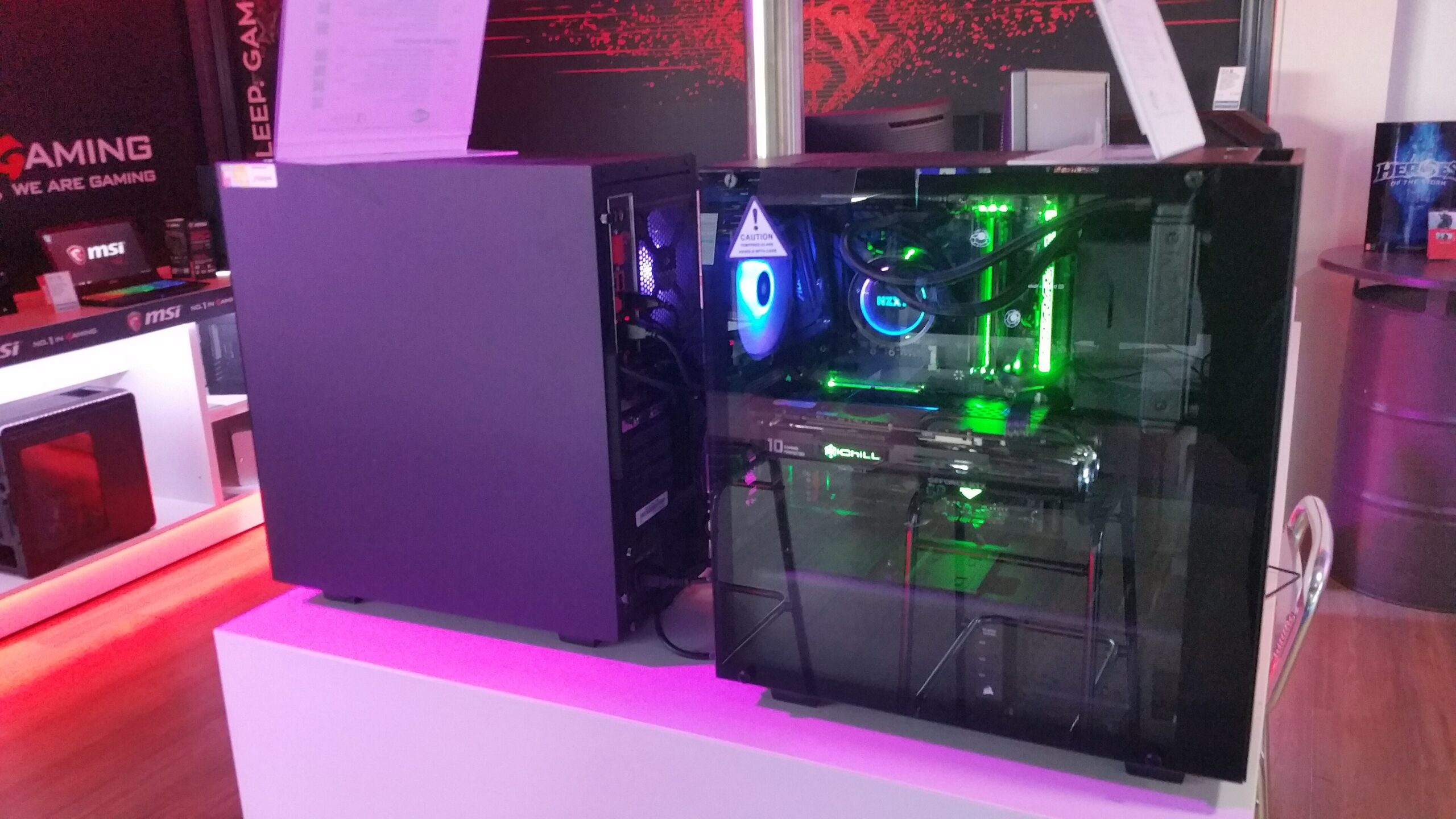
The practical 2026 starting point is a balanced system, not a flagship GPU. Current cards such as RTX 5060 and RX 9060 XT occupy a mainstream tier aimed mainly at strong 1080p and selective 1440p gaming. Tom’s Hardware’s mid-2026 GPU hierarchy places both among the better performance-per-dollar current options at 1080p. A PC built around that class is vastly newer than the PS4 Pro/Xbox One X architecture, but total-system cost is much higher than buying a used console.
Compare Gaming PCs on Amazon →
Affordable PC Strategy: Build for the Monitor You Own
One of the best ways to waste money on a PC is buying graphics performance your display cannot show. If you own a 1080p 60Hz monitor, a huge 4K GPU budget is unnecessary. If you use a 1440p 165Hz monitor, CPU and GPU balance matters more. If you want ray-traced 4K at high frame rates, the budget rises sharply.
| Display Goal | Smart PC Approach | Where Old Consoles Fit |
|---|---|---|
| 1080p / 60Hz | Modest modern GPU; prioritize value | PS4 Pro/Xbox One X can still be satisfying in supported games |
| 1080p / 120–165Hz | Modern CPU + GPU balance becomes important | Older CPUs and game caps become obvious |
| 1440p high refresh | Mainstream current PC sweet spot | Not the design target for these consoles |
| 4K modern features | Higher GPU tier + upscaling as needed | Use legacy systems for their libraries, not current 4K feature parity |
Controllers: One Area Where the PC Is More Flexible Than It Looks
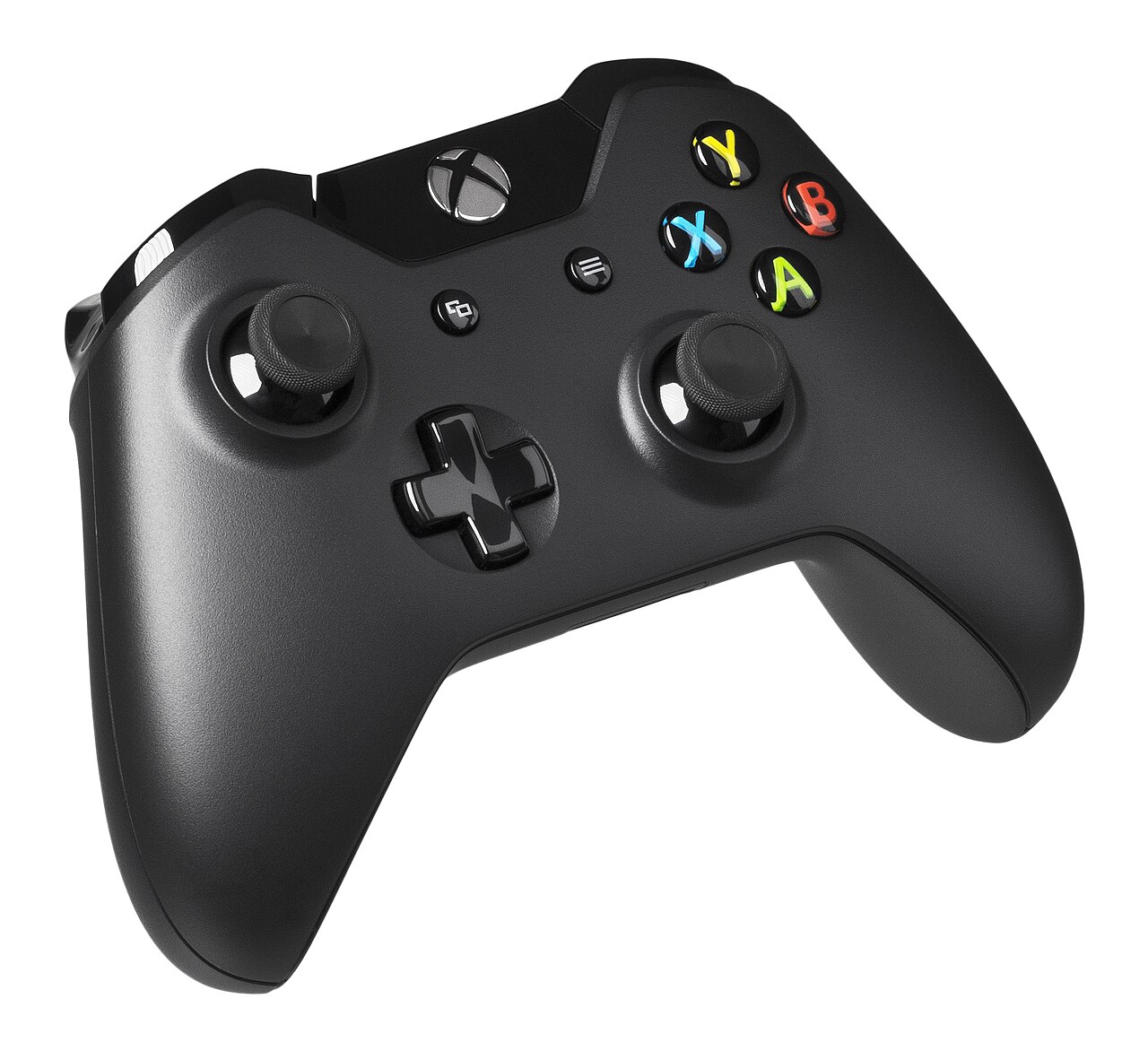
Moving to PC does not mean giving up controllers. Modern PC games commonly support Xbox-style controllers, and many titles also support PlayStation controllers. Keyboard and mouse remain useful for shooters, strategy games and desktop tasks, but a controller can still be the primary input for racing, sports, platformers and fighting games.
Game Libraries: The Strongest Argument for Keeping Old Hardware
Hardware comparisons can distract from the only question that ultimately matters: what do you want to play? If your favorite games are already installed and working well, a benchmark chart cannot make that experience obsolete.
Xbox One X also benefits from Microsoft’s strong backward-compatibility strategy. Xbox documented support across Xbox One, selected Xbox 360 and original Xbox titles, with enhanced behavior for some games. PS4 Pro has an enormous PS4 library, and physical-disc availability can make ownership economical.
On PC, the advantage is continuity. A digital library can persist while you replace the GPU, storage, display and eventually the whole computer. Sales, mods and community fixes can extend the life of older PC games substantially.
Retro Gaming and Emulation: Where PC Becomes a Different Kind of Machine
A PC can also become a retro-gaming hub. Front ends and operating environments such as RetroBat and Batocera can organize multiple emulators into a console-like interface. VirtualBox, which is sometimes mentioned in the same conversation, is a general virtualization platform rather than a game-console emulator.
Keep the legal boundary clear: emulator software is separate from copyrighted game files. Use legally obtained games and your own dumps where applicable. PCFix411 also has a detailed guide to using RetroBat on Windows PC.
Do Not Overpay to “Future-Proof” a Budget PC
Future-proofing is often used to justify overspending. A better strategy is to buy enough CPU, memory, power-supply capacity and case airflow to support the performance you need now while leaving a realistic upgrade path. Spend on the bottleneck you can measure.
For example, if the games you play are GPU-limited at 1440p, a graphics-card upgrade makes sense. If a competitive game is CPU-limited at high frame rates, a more expensive GPU may do very little. PCFix411’s PC upgrade guide explains how to identify the bottleneck before buying parts.
2026 Buyer Matrix
| Situation | Best Move | Reason |
|---|---|---|
| You already own PS4 Pro | Keep it if your library still works; consider SSD | Lowest cost and preserves existing games |
| You already own Xbox One X | Keep it for library/backward compatibility unless current-gen titles pull you forward | Still a useful legacy Xbox machine |
| You find either console very cheap | Buy only if there is a specific library you want | Cheap hardware is not a deal if you do not use it |
| Starting from zero and want current games | Current console or modern PC | Longer software runway |
| Need gaming + work/creator machine | Gaming PC | Higher utility offsets higher upfront cost |
What to Check Before Buying a Used PS4 Pro or Xbox One X
- Heat and fan noise: unusually loud cooling can signal dust, aging thermal material or prior abuse.
- Optical drive: test a physical game and movie disc if the drive matters to you.
- Controller: test stick drift, triggers, buttons, USB port and wireless pairing.
- HDMI output: verify stable output at the resolution you plan to use.
- Storage: listen for hard-drive errors and verify usable capacity.
- Account status: never pay extra for promises about another person’s digital account or library.
- Accessories: confirm power and HDMI cables are included.
Read the Original and the New 2026 Series
This article is a new 2026 successor to PCFix411’s December 2023 piece Console Gaming vs PC Gaming – Which 8th Generation Option Is Right for You?. For the full current-generation picture, also read Console vs Gaming PC in 2026.
Sources and Methodology
Hardware details were checked against Sony’s official PS4 Pro documentation and Microsoft’s official Xbox One family specification sheet and Xbox Wire launch material. Modern PC context uses official NVIDIA and AMD specifications plus current independent GPU hierarchy testing. Because used prices, game support and PC component prices change, this article focuses on durable buying logic rather than pretending one day’s marketplace price is permanent.
Games That Still Make Eighth-Generation Hardware Worth Owning
Old hardware is only valuable when the software library still matters to you. In 2026, standout eighth-generation games remain one of the strongest reasons to keep a PS4 Pro or Xbox One X rather than replacing it just because newer hardware exists.

On PlayStation, games such as God of War, The Last of Us Part II, Ghost of Tsushima and Marvel’s Spider-Man helped define the PS4 generation. On Xbox, titles such as Forza Horizon 4, Gears 5 and Halo’s backward-compatible catalog demonstrate why an inexpensive used Xbox One X can still have value for the right library. The point is not that these machines compete with a modern gaming PC on raw capability; it is that a mature software catalog can make a low-cost console purchase rational.
Best Places to Shop This Older-Generation Strategy
Amazon Video Games Best Sellers → is the broad current marketplace link for consoles, games and accessories.
GearReady eBay Store → is especially relevant for used, discontinued and older-generation hardware when inventory is available.
GearReady Gaming Accessories → covers controllers, storage, headsets and other supporting gear.
Affiliate disclosure: PCFix411 may earn a commission from qualifying purchases made through eligible affiliate links, at no additional cost to you.
The Games That Still Make Eighth-Generation Hardware Interesting
Old hardware has value because of software, not because a 2016 or 2017 specification sheet still looks impressive. PS4 Pro remains useful for a deep PlayStation 4 library that includes titles such as God of War, Ghost of Tsushima, Marvel’s Spider-Man and Horizon-era releases. Xbox One X has its own strong catalog and enhanced versions of games such as Forza Horizon 4 and Gears 5, plus backward-compatible Xbox titles that can make the machine attractive as a low-cost library box.
That is why a used-console purchase should start with a list of the games you actually want. Check whether the title is still sold digitally, whether a physical disc is available, whether online features still operate, and whether the game carries forward to newer hardware. A $150 console is not a bargain if the five games you want are unavailable or if moving to a current console would preserve your library and improve performance.
Controller, Storage and Living-Room Upgrades Before Replacing the Console
If you already own an eighth-generation console, a complete replacement is not always the highest-value move. A worn controller, failing hard drive, small storage pool or poor display setup can make the machine feel older than it is. Replacing a PS4 Pro hard drive with a compatible SATA SSD can improve loading and system responsiveness. Xbox One X owners can also improve load behavior in supported games with fast external storage. Neither upgrade changes the CPU or GPU, but both can make an existing library more pleasant to use.
When a Budget Gaming PC Becomes the Better Investment
A modern budget PC becomes more compelling when the machine needs to do more than play games. Current desktop CPUs provide dramatically more per-core performance than the Jaguar-era processors inside PS4 Pro and Xbox One X, while NVMe storage removes much of the waiting that defined the hard-drive generation. The PC also gives you access to modern graphics APIs, adjustable quality settings, high-refresh monitors, game mods, streaming software, video editing and general productivity.
For retro enthusiasts, a Windows PC can also become a legal emulation and preservation machine using front ends such as RetroBat or operating systems such as Batocera, provided you use games and firmware you are legally entitled to use. PCFix411’s RetroBat setup guide covers the organizational side of that workflow.
2026 Used-Gaming Shopping Checklist
| Check | Why It Matters | Best Action |
|---|---|---|
| Game library | The software determines whether old hardware is useful. | List your must-play titles before shopping. |
| Controller condition | Stick drift and worn batteries can erase a cheap-console bargain. | Budget for a replacement controller if needed. |
| Storage health | Mechanical drives are now one of the most failure-prone and sluggish parts. | Plan an SSD/external-storage refresh where practical. |
| Disc drive | Used physical games are a major advantage of these systems. | Test disc reading before buying locally. |
| Upgrade path | A cheap console may be poor value if you already plan to replace it soon. | Compare total cost against Series X|S, PS5 or a PC. |
Amazon Video Games
Compare current games, controllers and console accessories using PCFix411’s approved Amazon category link.
PC Accessories
If you move toward PC gaming, compare current computer accessories through the approved Amazon-2026 registry.
GearReady Gaming
Browse controllers, portable gaming products and other gaming accessories in the Nacluv Tech-owned GearReady store.
Used Gear on eBay
Older consoles and games are often best evaluated on the secondary market.
Affiliate disclosure: PCFix411 may earn a commission from qualifying purchases made through affiliate links, at no additional cost to you.
Why Older Premium Consoles Still Have a Value Case in 2026
The used-market argument is stronger than it looks because new-console pricing has risen. Sony’s 2026 U.S. recommended retail pricing puts PS5 at $649.99 and PS5 Pro at $899.99, while Nintendo moved Switch 2 to a $499.99 U.S. MSRP in September 2026. Microsoft also announced further Xbox price increases in 2026. That does not make PS4 Pro or Xbox One X better hardware, but it does make a low-cost used system more defensible for someone who wants a mature library rather than the newest releases.
| 2026 Buyer Type | Best Starting Point | Why |
|---|---|---|
| Already owns PS4 Pro | Keep it unless a specific game or performance limitation matters | Your cheapest upgrade is often no upgrade at all. |
| Already owns Xbox One X | Keep it for the existing library and backward-compatible catalog | The hardware remains useful for older titles and media. |
| Buying used on a tight budget | Compare console condition, storage and included games before price alone | A bundle can beat a bare console even at a slightly higher price. |
| Wants current AAA releases for years | Current console or gaming PC | Eighth-generation software support is increasingly the limiting factor. |
| Wants emulation, mods, work and upgrades | Budget gaming PC | The PC’s broader role can justify the higher upfront cost. |
Original Hardware Specs vs a Modern PC Baseline
Sony’s official PS4 Pro documentation lists an eight-core AMD Jaguar CPU, a 4.20-TFLOP Radeon-based GPU, 8GB GDDR5 and a 1TB hard drive. Those specs describe the console accurately, but they should not be compared directly to a current PC by matching teraflop numbers. Modern CPUs are dramatically stronger per core, NVMe SSDs eliminate much of the storage latency that defined the older generation, and current GPUs include newer ray-tracing, upscaling and media engines.
For a practical 2026 PC baseline, an entry current-generation GPU such as GeForce RTX 5060 or Radeon RX 9060 XT should be evaluated as part of a complete system—not as a one-number replacement for PS4 Pro or Xbox One X.
Technical references: Sony PS4 Pro specifications, NVIDIA RTX 5060 specifications, and AMD RX 9060 XT specifications.
Best 2026 Buying Strategy for Legacy Console Shoppers
If you are shopping PS4 Pro or Xbox One X in 2026, condition matters as much as model. Check controller drift, HDMI output, fan noise, storage health, disc-drive operation and whether the seller includes the original power cable and a working controller. A very cheap console that immediately needs a controller, SSD and repair can erase the savings versus a newer system or budget PC.
For buyers who want to stretch a limited budget, compare the complete cost: console or PC, display, controller, storage, online membership, replacement accessories and the games you actually plan to buy. Used physical games can make an older console attractive; a PC can become the better value when it also replaces a work, school, streaming or creator machine.
Frequently Asked Questions
Is PS4 Pro still worth using in 2026?
Yes if you already own it and its game library meets your needs. Its biggest limitations are the older CPU architecture, hard-drive-era storage and lack of current-generation software support.
Is Xbox One X better than PS4 Pro?
Xbox One X has the stronger raw GPU and more memory bandwidth on paper, but the better system depends on the games you want, your existing library and platform preferences. In 2026 both are legacy machines.
Can a cheap gaming PC beat PS4 Pro or Xbox One X?
A well-balanced modern PC can exceed them in CPU capability, storage speed and graphics features, but a complete PC costs more than a used console. Compare total system cost, not just the graphics card.
Should I buy a used eighth-generation console instead of Xbox Series S?
Only when price or a specific physical/backward-compatible library is the priority. Series S provides a much newer CPU, NVMe storage and current software support, though it is digital-only.
Can I use an Xbox controller on PC?
Yes. Xbox-style controllers are widely supported by Windows games, making a gaming PC feel console-like when you want couch-style input.
Affiliate disclosure: PCFix411 may earn a commission from qualifying purchases made through affiliate links, at no additional cost to you. As an Amazon Associate, PCFix411 may earn from qualifying purchases.