
Some links on PCFix411 may earn a commission from GearReady, software partners, or Amazon Associates at no extra cost to you.
Retro game sticks make classic gaming easy: plug a small device into HDMI, connect power, pair or connect the controllers and choose a game. The problem is that many listings lead with huge game counts and vague claims such as “4K” or “20,000 games” while giving less attention to the specifications that actually determine whether the experience is good.
Use this guide to compare game sticks based on emulation performance, storage, controller quality, software and the systems you actually want to play.
Do Not Buy Based on Game Count
A library of 10,000 or 40,000 games sounds impressive, but those numbers can include regional duplicates, hacks, multiple versions and titles you will never play. A smaller, organized library with good metadata and reliable emulation is more useful.
Ask which systems are supported well, whether the menu can search and favorite games, and whether you can manage the storage yourself.
Processor and Emulation Performance
Older systems such as Atari, NES, SNES, Genesis and Game Boy are relatively easy to emulate. Nintendo 64, Dreamcast, PSP and later systems require more processing power and better emulator optimization.
Do not rely on “quad core” alone. Chip architecture, clock speed, graphics hardware and firmware matter. Look for real compatibility information for the newest system you care about.
RAM
Retro emulation is not usually as RAM-hungry as modern PC gaming, but the front end and later emulators still need enough memory. More RAM can improve menu responsiveness and multitasking, but it cannot compensate for a weak processor.
Treat RAM as part of the overall platform rather than the single deciding specification.
Storage: 64GB, 128GB, 256GB and Beyond
Storage determines how much software and media can fit on the device. Older cartridge systems use small files; CD- and DVD-era systems require much more space. A large card can be useful if you focus on PlayStation, Dreamcast or other disc-based libraries.
Storage quality matters too. Cheap microSD cards are more likely to become corrupted. A device that allows you to back up or replace the card is preferable to one that locks everything to unknown storage.
Controller Quality
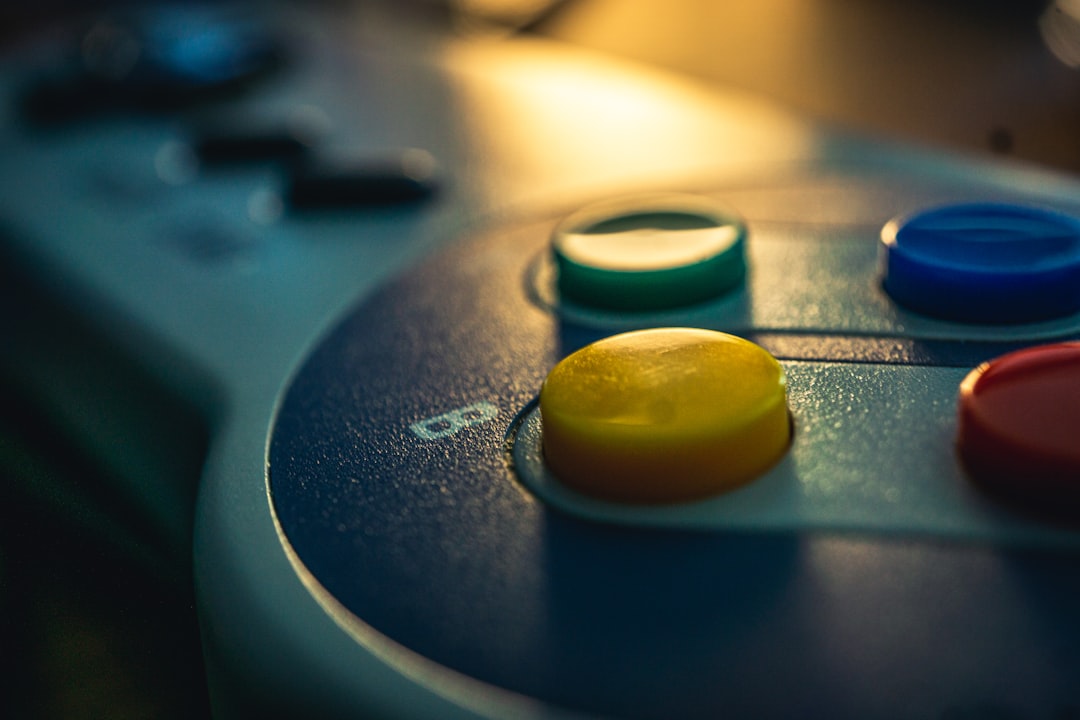
The included controllers can make or break a budget game stick. Check the D-pad, analog-stick dead zones, button feel, wireless connection and whether two controllers can operate reliably at the same time.
Also check whether the stick accepts third-party controllers. If it does, you can replace poor included gamepads instead of replacing the whole system. GearReady’s live Game Controllers collection is the correct place to compare controller upgrades.
2.4GHz vs Bluetooth Controllers
Many game sticks include 2.4GHz controllers with a USB receiver. This can offer consistent low-latency performance, but the receiver needs a port. Bluetooth can be more flexible with phones, PCs and Android devices, though pairing behavior varies.
If controller technology matters to you, PCFix411’s Game Controller Buying Guide explains 2.4GHz, Bluetooth, USB and Hall Effect features.
HDMI Output and Resolution
A game stick may advertise 4K output, but most classic games were created at much lower resolutions. The important question is whether the device scales cleanly to your television, maintains the correct aspect ratio and offers sensible display settings.
Do not stretch 4:3 games to 16:9 unless you prefer that look. Good front ends let you preserve original aspect ratio, add integer scaling or use optional shaders.
Menu and Front-End Quality
The front end is what you interact with every time you use the stick. Look for:
- Search
- Favorites
- Save states
- Recent games
- System filters
- Controller remapping
- Clear game names and artwork
- Easy access to settings without accidental changes
A fast, organized interface often matters more than a small difference in hardware specifications.
Save States and Memory Cards
Save states let you stop almost anywhere and resume later. Verify that save states work reliably and that the storage has enough free space. Some emulators also support virtual memory cards that mimic original console storage.
Power and Heat
Game sticks are compact and may sit behind a warm television. Adequate power and ventilation help prevent freezes or throttling. Use the supplied power requirements instead of assuming every TV USB port provides enough current.
Wi-Fi: Useful but Not Essential for Everyone
Some devices include Wi-Fi for updates, scraping artwork or online features. It is not necessary for offline retro gaming, but it can improve maintenance. If the stick depends on online services, look for an active software community and update path.
Legal and Library Considerations
Emulation software itself can be legal, but copyrighted game files are a separate issue. PCFix411 does not treat an advertised preloaded library as proof that the seller has distribution rights. Use game files and BIOS data you are legally entitled to use.
When a Handheld Is Better
If you play away from the TV as often as you play in the living room, a handheld may offer more value. Read Retro Handheld vs Game Stick for the direct comparison.
When a PC Is Better
A Windows PC running RetroBat or another front end gives you more processing power, storage and configuration control. PCFix411’s RetroBat guide covers the PC approach.
Retro Game Stick Buying Checklist
- Identify the newest console generation you expect to emulate.
- Check the processor, not just the core count.
- Choose enough storage for the types of systems you play.
- Verify controller quality and third-party controller support.
- Check save states and menu organization.
- Confirm correct HDMI aspect-ratio options.
- Look for replaceable or backup-friendly storage.
- Check power requirements and cooling.
- Do not use game count as the primary quality metric.
Where PCFix411 Sends Game-Stick Shoppers
The correct GearReady destination is the live Retro Gaming & Emulation collection, which currently includes game sticks, handhelds, plug-and-play systems, gaming drives and related retro hardware.
Bottom Line
Buy a retro game stick based on the systems it emulates well, the quality of its controllers, the reliability of its storage and the usability of its software. A clean 5,000-game library on stable hardware can be a much better purchase than a 40,000-game device built around inflated numbers.