Some links on PCFix411 may earn a commission from GearReady, software partners, or Amazon Associates at no extra cost to you.
You do not need a commercial studio or a room full of expensive hardware to start producing electronic dance music. A capable PC or laptop, a digital audio workstation, headphones, a few carefully chosen sounds and a repeatable workflow are enough to learn the fundamentals.
This PCFix411 guide focuses on the computer side of EDM production: choosing software, configuring your system, building a first track, avoiding performance problems and deciding which hardware actually improves the workflow.
1. Start With the Computer You Already Have
Before buying anything, test the PC or laptop you already own. Modern music software can run on modest hardware when projects are kept simple. The biggest practical bottlenecks are usually RAM, storage speed, CPU load and audio-driver configuration.
For a beginner project with software instruments and effects, 16 GB of RAM is a comfortable target, while 8 GB can still work for lighter sessions. An SSD makes sample libraries, project loading and general responsiveness much better than an old hard drive.
If your computer already feels slow in normal use, review Best PC Upgrades Before Buying a New Computer before assuming music production requires a completely new system.
2. Choose One DAW and Learn It Deeply
Your digital audio workstation is the center of the production process. Popular choices include Ableton Live, FL Studio, Bitwig Studio, REAPER and Logic Pro on Mac. Each can create professional music. The important decision is not which one has the longest feature list; it is which workflow you can learn consistently.
Download the official trial when available, complete a few beginner tutorials and resist changing DAWs every week. Keyboard shortcuts, routing, automation and project organization become far more important than brand comparisons once you begin producing regularly.
3. Configure the Audio System Correctly
Audio latency is the delay between an action and when you hear the result. High latency makes MIDI keyboards and live monitoring feel disconnected. Very low buffer settings reduce latency but increase CPU load and can cause clicks or dropouts.
Start with a moderate buffer size. If the project plays cleanly, lower it while recording. If the session becomes heavy during mixing, raise the buffer again. Windows users should use the proper ASIO driver supplied by an audio-interface manufacturer when possible instead of relying on generic audio modes.
4. Organize Your Project Folder
Create one folder for each track and keep the project file, recorded audio, exported stems and custom samples together. Music projects can break when files are scattered across Downloads, Desktop and removable drives.
Use clear version names such as TrackName-v03 instead of repeatedly overwriting the only project file. When a major change works, save a new version.
5. Build a Simple Drum Groove First
For many EDM styles, drums provide the easiest starting framework. Begin with a kick pattern, then add clap or snare, hi-hats and supporting percussion. Keep the first groove simple enough that you can hear what every sound contributes.
Do not stack five samples because a tutorial did it. If one kick already supplies the low-end weight and transient you need, adding more layers can create phase and frequency problems.
6. Add Bass That Supports the Kick
Bass and kick often compete for the same low-frequency space. Choose sounds that complement each other, then adjust note length, timing, EQ and sidechain compression only when the arrangement needs it.
Beginners often over-process the low end. A clean source sound and good note selection usually matter more than a complex effects chain.
7. Create a Chord or Melody Idea
Use a basic piano, synth or sampled instrument to create a short musical idea. Four or eight bars are enough to establish the harmonic direction. You can replace the sound later after the notes work.
Working this way prevents sound-design browsing from replacing actual songwriting.
8. Use MIDI Instead of Recording Everything as Audio
MIDI stores note and performance information rather than the final sound. That lets you change instruments, notes, timing and velocity without rerecording the part.
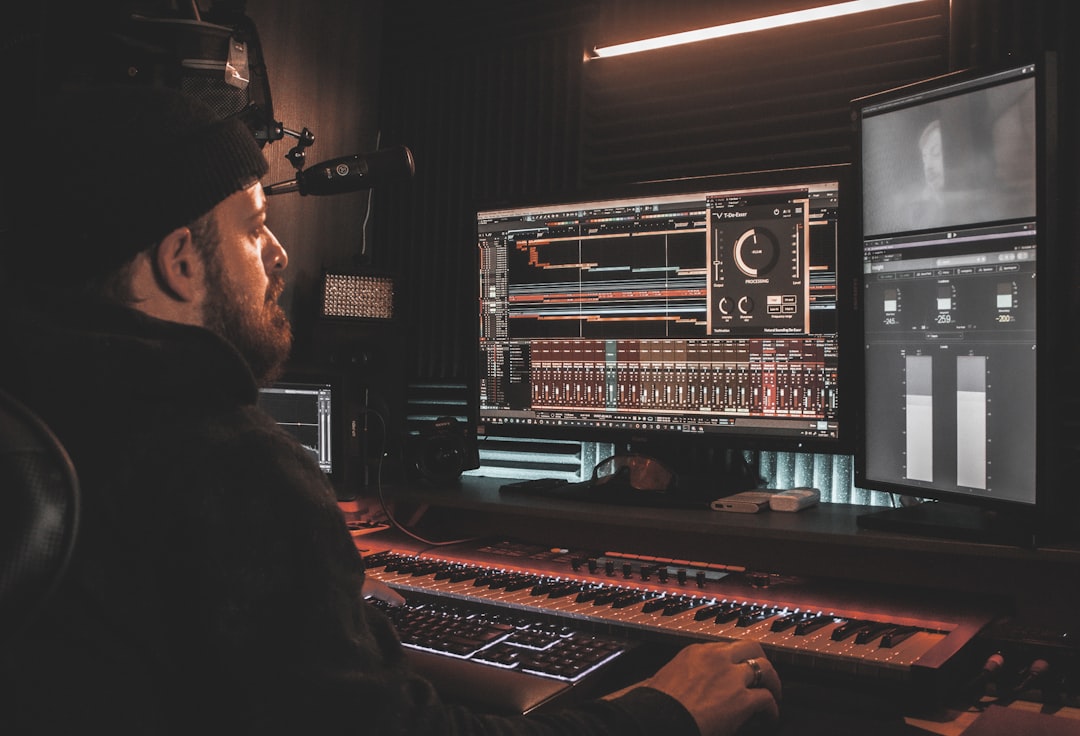
A MIDI keyboard is convenient but not required. Every major DAW lets you enter notes with the mouse or computer keyboard. Buy a controller when playing notes becomes a recurring limitation, not because a beginner setup photo says you need one.
9. Learn Subtractive Synthesis Basics
You do not need to master every synthesizer immediately. Learn the basic signal flow: oscillator, filter, envelope and modulation. Understand how attack and release shape a sound, how a low-pass filter removes high frequencies and how an LFO can create movement.
Those concepts transfer between many software instruments.
10. Arrange Beyond the Eight-Bar Loop
A common beginner problem is creating a good loop but never finishing a track. Duplicate the loop across the timeline and create rough sections before polishing details.
Typical EDM arrangements may include an intro, buildup, drop, breakdown and second drop, but the exact structure depends on genre. The goal is to create contrast and forward movement.
11. Use Reference Tracks
Import a professionally released track in a similar style and lower its level so loudness does not fool you. Compare arrangement length, energy, low-end balance and transitions. Do not copy the song. Use it as a reality check.
12. Keep Effects Chains Simple
EQ, compression, saturation, delay and reverb cover a huge percentage of beginner mixing needs. Learn what each tool does before adding specialty plugins.
Free and stock plugins are often enough to learn the fundamentals. Buying another plugin rarely fixes weak arrangement, poor sound selection or level balance.
13. Gain-Stage Before You Mix
Turn tracks down so the master channel has comfortable headroom. Digital audio does not need every individual channel close to maximum level.
Start the mix with faders before reaching for EQ. If the balance already works at low volume, processing becomes much easier.
14. Check the Mix at Low Volume
Listening quietly makes level relationships easier to judge. If vocals, leads or percussion disappear immediately, the balance may need work. High volume can make almost any mix feel more exciting than it actually is.
15. Headphones vs Studio Monitors
Good headphones are the most practical first monitoring purchase for many beginners because they avoid room-acoustics problems and allow work at any hour. Studio monitors become more valuable when you have a reasonably positioned desk and can control reflections in the room.
The current GearReady Home Studio Gear collection is the appropriate store destination when you want to compare home-studio microphones, audio accessories and related production gear.
16. Do You Need an Audio Interface?
If you only produce with software instruments and headphones connected directly to the computer, you can begin without an interface. An audio interface becomes important when you need XLR microphones, instrument inputs, proper studio-monitor outputs or lower-latency professional drivers.
Buy around the number of inputs and outputs you genuinely expect to use. Two-input interfaces are enough for many solo producers.
17. Microphones for Vocals
If you plan to record vocals, the room and microphone technique matter as much as the microphone itself. Dynamic microphones can be forgiving in untreated rooms, while condenser microphones often capture more detail and more of the room.
See Dynamic vs Condenser Microphone for the practical differences.
18. Protect the Computer From Performance Problems
Close unnecessary background applications while recording, keep the operating system and audio drivers stable, maintain adequate free SSD space and avoid installing random optimization utilities that promise magical performance.
If the machine freezes or stutters outside the DAW too, diagnose the underlying PC problem first with How to Fix a Windows PC That Keeps Freezing.
19. Freeze, Render or Bounce Heavy Instruments
Software synthesizers and oversampled effects can consume substantial CPU resources. Most DAWs provide a way to freeze or render a track so the computer plays back audio instead of recalculating the instrument in real time.
This lets older systems handle projects that would otherwise exceed their CPU capacity.
20. Back Up Every Project
Music sessions can represent dozens or hundreds of hours of work. Maintain at least one additional copy outside the computer. An external drive plus a reputable cloud backup or sync service is a practical starting point.
Do not assume a cloud-sync folder automatically protects every historical version. Understand whether the service offers version history and recovery.
21. Export Stems and a Final Mix
When a track reaches a stable milestone, export a full stereo mix and, when useful, major stems such as drums, bass, music and vocals. Those files provide a recovery path if a plugin later becomes incompatible.
22. Finish Tracks Instead of Collecting Loops
The fastest way to improve is to finish small projects. A completed imperfect track teaches arrangement, mixing, exporting and decision-making. Twenty unfinished eight-bar loops do not.
Beginner EDM Production Checklist
- Use the computer you already have and identify any real performance bottleneck.
- Choose one DAW.
- Configure the correct audio driver and buffer.
- Create an organized project folder.
- Build drums and bass.
- Add a simple musical idea.
- Arrange the entire track before over-polishing.
- Use reference tracks.
- Mix with levels first and effects second.
- Back up the project.
- Export a finished version.
A Sensible Beginner Hardware Order
| Priority | Gear | When It Becomes Useful |
|---|---|---|
| 1 | Reliable headphones | Immediately |
| 2 | Audio interface | When recording or using monitors |
| 3 | MIDI keyboard | When mouse entry slows composition |
| 4 | Microphone | When recording vocals or instruments |
| 5 | Studio monitors | When the room and desk support them |
Bottom Line
EDM production is primarily a workflow skill, not a shopping contest. Learn one DAW, build complete arrangements, keep the computer stable, monitor accurately and buy hardware only when a recurring limitation appears. A modest PC with disciplined project management can teach you far more than an expensive studio full of equipment you have not learned to use.