Some links on PCFix411 may earn a commission from GearReady, software partners, or Amazon Associates at no extra cost to you.
A good VPN buying guide should help you decide whether you actually need a VPN, what features matter and which marketing claims deserve skepticism. A VPN can improve privacy on untrusted networks and hide your public IP address from the sites you visit, but it does not make you anonymous, stop every form of tracking or replace good security habits.
This 2026 guide explains the practical reasons to use a VPN, how to compare providers and how to build a broader privacy and network-security setup around it.
What a VPN Actually Does
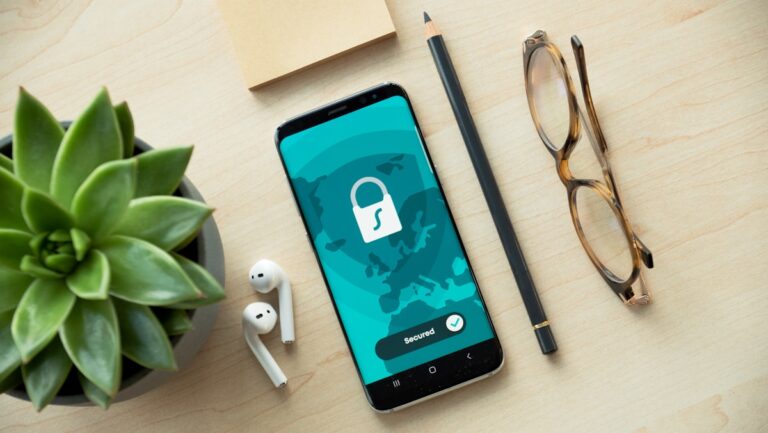
A virtual private network encrypts traffic between your device and the VPN server. Websites then see the VPN server IP address rather than the public IP address assigned to your home or mobile connection.
This can be useful on public Wi-Fi, when traveling, when you want to reduce exposure of your home IP address or when you need secure access to a remote network. It does not prevent phishing, malware, weak passwords or account takeovers by itself.
When a VPN Is Most Useful
- Using airport, hotel, coffee-shop or other public Wi-Fi
- Traveling and connecting through unfamiliar networks
- Reducing exposure of your public IP address
- Creating a secure tunnel back to a business or home network
- Separating browsing traffic from the local network provider
If you rarely leave a trusted home network and already use HTTPS websites, the benefit may be smaller than marketing suggests. Buy for your actual threat model rather than fear.
Privacy Policy Matters More Than a Fancy Interface
When comparing VPN services, read how the provider describes logging, account data, payment information and diagnostic data. A no-logs claim should be evaluated in context. Look for clear policies, independent audits when available and a business model you understand.
Remember that a VPN shifts trust. Instead of your internet provider seeing certain network metadata, you are trusting the VPN provider to handle your traffic responsibly.
VPN Speed: Expect Some Overhead
Encryption and routing through another server can reduce speed or increase latency. The amount depends on your internet connection, the VPN protocol, server distance, congestion and device performance.
For video calls, gaming and large downloads, test nearby servers first. The fastest VPN is not necessarily the one with the highest advertised speed; it is the one that performs consistently on your devices and routes.
Protocols and Security Features
Modern VPNs commonly support multiple connection protocols. You do not need to become a cryptographer, but you should prefer modern, widely reviewed protocols and avoid obsolete options when better choices are available.
Useful features can include a kill switch, DNS leak protection, automatic connection on untrusted Wi-Fi, split tunneling and multi-device support. Whether you need each feature depends on how you use the service.
How Many Devices Do You Need to Protect?
Count the devices that matter: phone, laptop, tablet, desktop, streaming device and possibly a router. Some households need only two devices protected at a time. Others want broad coverage across the family.
Router-level VPN setup can protect multiple devices, but it is more technical and can affect performance. For most people, installing the VPN directly on the devices that leave the house is simpler.
VPNs and Streaming
Some people use VPNs while streaming, but content availability and service policies can change. Do not choose a VPN solely because a website claims it works with one streaming platform today. Treat streaming access as a secondary benefit rather than the foundation of the purchase.
If your actual problem is buffering, fix the network first. PCFix411 has a practical guide on how to fix slow Wi-Fi at home.
Public Wi-Fi: A VPN Is Only One Layer
On public Wi-Fi, also disable automatic file sharing, keep your operating system updated, use HTTPS sites and avoid entering sensitive credentials on suspicious networks. Multi-factor authentication adds protection that a VPN cannot provide.
If a network asks you to install unusual certificates or software, do not assume the VPN makes that safe.
Home Network Security Still Matters
A VPN does not fix a weak router password, outdated firmware or poor Wi-Fi configuration. Secure the router, use WPA2 or WPA3 when available, update firmware and separate guest devices when appropriate.
If you need new network hardware, the current Amazon Computers & Accessories Best Sellers page can be a starting point for comparing routers, adapters and related gear.
How to Compare VPN Pricing
VPN pricing can be misleading because the lowest advertised rate often requires a long commitment. Compare the total upfront cost, renewal price, refund policy and whether you are comfortable paying for multiple years before you know the service works well for you.
Start with the shortest reasonable commitment or a refund window when testing a new provider. Verify performance on your real network before locking in long-term.
Red Flags When Evaluating a VPN
- Claims that the service makes you completely anonymous
- Unclear ownership or privacy policies
- Pressure to buy multi-year plans without a reasonable test period
- Obsolete encryption or protocols
- Too many unrelated security claims bundled into one vague promise
A Practical VPN Decision Checklist
- Write down why you want a VPN.
- List the devices you need to cover.
- Decide whether speed, travel, privacy or remote access is the priority.
- Read the logging and privacy policy.
- Check protocol and kill-switch support.
- Test local server performance.
- Review the renewal price before committing long-term.
Frequently Asked Questions
Does a VPN make me anonymous?
No. A VPN can hide your public IP address from destination sites and encrypt traffic to the VPN server, but accounts, browser fingerprints, cookies and other identifiers can still reveal who you are.
Do I need a VPN at home?
It depends on your privacy goals. The strongest use case is often travel or public Wi-Fi, though some users also prefer a VPN at home.
Will a VPN fix slow Wi-Fi?
No. A VPN usually adds some overhead. Fix router placement, interference and connection quality first.
Legacy-link note: this page may receive visitors through an older PCFix411 recommendation URL. PCFix411 routes legacy recommendation links to current educational content rather than leaving visitors at outdated destinations.