Some links on PCFix411 may earn a commission from GearReady, software partners, or Amazon Associates at no extra cost to you.
This online privacy guide focuses on practical steps that reduce exposure without turning everyday internet use into a complicated security project. Privacy is not one app. It is a collection of choices involving your browser, accounts, Wi-Fi, devices, passwords, permissions and the services you trust.
A VPN can be useful, especially on untrusted networks, but it is only one layer. The strongest privacy setup combines secure accounts, sensible browser settings, updated devices and disciplined data sharing.
Start With the Information You Actually Want to Protect
Before installing tools, identify what matters: banking accounts, email, business systems, family photos, customer records, location history or browsing activity. Different risks require different controls.
A person worried about public Wi-Fi needs a different solution than someone worried about account takeover. Define the problem first so you do not buy software that solves the wrong one.
Use Strong, Unique Passwords
Password reuse remains one of the easiest ways for attackers to turn one data breach into multiple compromised accounts. Use a different strong password for every important service and store them in a reputable password manager if you cannot manage them safely yourself.
Prioritize email, banking, cloud storage, domain registrar, hosting and social accounts because losing control of those accounts can create cascading problems.
Enable Multi-Factor Authentication
MFA adds another barrier when a password is stolen. Authenticator apps and hardware security keys are generally stronger than relying only on SMS, though any second factor can be better than none when used correctly.
Store recovery codes somewhere secure. MFA is only helpful if you can still regain access after changing phones or losing a device.
Understand What a VPN Can and Cannot Do
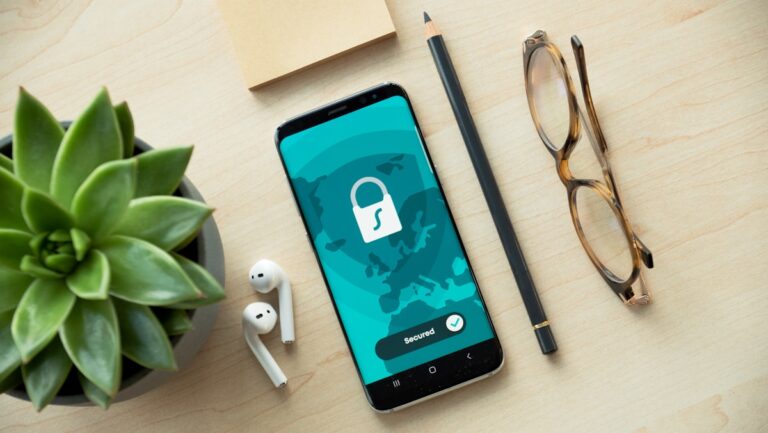
A VPN encrypts traffic between your device and the VPN server and can mask your public IP address from the destination site. It can be especially useful on hotel, airport and coffee-shop networks.
A VPN does not stop phishing, remove cookies, make you invisible to websites you log into or protect an already-compromised device. Treat VPNs as a network-privacy tool, not a complete security system.
Browser Privacy Settings Matter
Modern browsers provide controls for cookies, trackers, pop-ups, site permissions and stored data. Review which sites can access your camera, microphone, location and notifications. Remove permissions you no longer need.
Be cautious with browser extensions. Every extension adds code with access to part of your browsing environment. Keep only extensions you actively use and remove old ones.
Public Wi-Fi: Reduce the Attack Surface
- Confirm the exact network name before connecting.
- Turn off unnecessary file sharing.
- Use HTTPS websites.
- Avoid sensitive transactions on suspicious networks.
- Use a VPN when appropriate.
- Forget the network after leaving so the device does not reconnect automatically.
Your phone hotspot can be a better option than an unknown public network when cellular coverage is strong.
Keep Devices and Routers Updated
Privacy depends on security. Install operating-system and browser updates promptly, especially when they include security fixes. Update router firmware and change default administrative credentials.
If your Wi-Fi hardware is old, unstable or no longer receiving updates, replacement may be more useful than piling security software onto outdated equipment.
For hardware research, you can browse Amazon Computers & Accessories Best Sellers.
Review App Permissions on Phones
Mobile apps can collect location, contacts, photos, microphone access and other data. Review permissions periodically and choose the narrowest permission that still lets the app work.
Delete apps you no longer use. An unused app does not need permanent access to sensitive information.
Separate Personal and Business Accounts
If you run a business, use separate administrative accounts and business email rather than mixing everything into one personal login. This makes access easier to revoke, audit and transfer.
Domain, hosting, analytics and payment accounts should be owned by the business with documented recovery methods.
Be Careful With Cloud Sharing Links
Cloud storage is convenient, but public sharing links can be forwarded beyond the intended recipient. Use restricted sharing when possible, set expiration dates for temporary access and remove old collaborators.
Do not store passwords or sensitive client data in ordinary shared documents unless the system is designed for that purpose.
Reduce Unnecessary Tracking
You do not have to block every tracker to improve privacy. Start by limiting third-party cookies, reviewing advertising settings, clearing unnecessary site data and using privacy controls built into your browser and mobile operating system.
Also consider the simplest privacy move: do not provide optional information when a service does not need it.
Email Is the Master Key to Many Accounts
Your primary email can reset passwords for dozens of other services. Protect it with a unique password, MFA, recovery information and alerts for suspicious sign-ins.
If you operate a business, consider separating administrative email from public customer-facing addresses so a heavily exposed inbox is not also your recovery account.
Privacy and Website Ownership
Business owners should know who controls their domain, hosting and DNS. If you are rebuilding a business website, Hostinger is one current hosting option in the PCFix411 affiliate stack. For a done-for-you website build, Nacluv Tech offers Website Design and Launch services.
A 15-Minute Privacy Checkup
- Turn on MFA for your primary email.
- Check for reused passwords on important accounts.
- Review browser extensions.
- Review phone permissions.
- Update your operating system and browser.
- Check router firmware and admin password.
- Remove old cloud-sharing permissions.
- Delete apps you no longer use.
Frequently Asked Questions
Is a VPN enough for online privacy?
No. A VPN protects one part of the network path. Account security, browser settings, device updates and data-sharing habits still matter.
What privacy step has the biggest payoff?
For many people, unique passwords plus multi-factor authentication on important accounts provide more practical protection than adding another privacy app.
Should I avoid public Wi-Fi completely?
Not necessarily. Use reasonable precautions, verify the network, prefer HTTPS, avoid suspicious captive portals and use a trusted VPN when appropriate.
Legacy-link note: this page may receive visitors through an older PCFix411 recommendation URL. PCFix411 routes legacy recommendation links to current educational content rather than leaving visitors at outdated destinations.