Some links on PCFix411 may earn a commission from GearReady, software partners, or Amazon Associates at no extra cost to you.
Updated September 2, 2026. A useful tech upgrade should solve a real problem: slow storage, limited ports, weak Wi-Fi, poor video calls, an uncomfortable desk setup, or outdated entertainment hardware. This guide replaces an older generic gadget roundup with practical upgrade categories that still make sense in 2026.
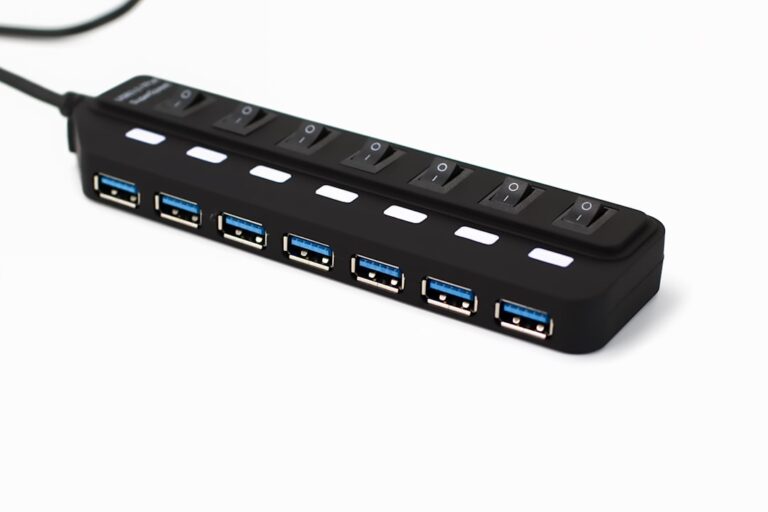
1. USB-C hub or docking station
Modern laptops often trade ports for thin designs. A good USB-C hub or dock can add HDMI or DisplayPort, Ethernet, USB-A, card readers and power delivery. Before buying, verify what your laptop’s USB-C port actually supports because not every USB-C port supports video output or the same charging speed.
2. External SSD or SSD enclosure
Fast external storage is useful for backups, large media libraries, game files and moving data between systems. An NVMe or SATA enclosure can also turn a spare internal drive into portable storage.
3. Mesh Wi-Fi or a better router
If internet service is fast near the modem but weak elsewhere in the house, the bottleneck may be Wi-Fi coverage rather than the internet plan itself. A better router, mesh system or strategically placed access point can improve coverage more effectively than simply paying for a faster connection.
4. USB Wi-Fi or Ethernet adapter
A small adapter can solve a missing or failing network port without replacing the whole computer. USB Ethernet is especially useful for laptops that no longer include a built-in Ethernet jack.
5. Laptop stand
Raising a laptop closer to eye level can improve desk ergonomics and free space underneath. Pair it with an external keyboard and mouse when you use the laptop as a primary workstation.
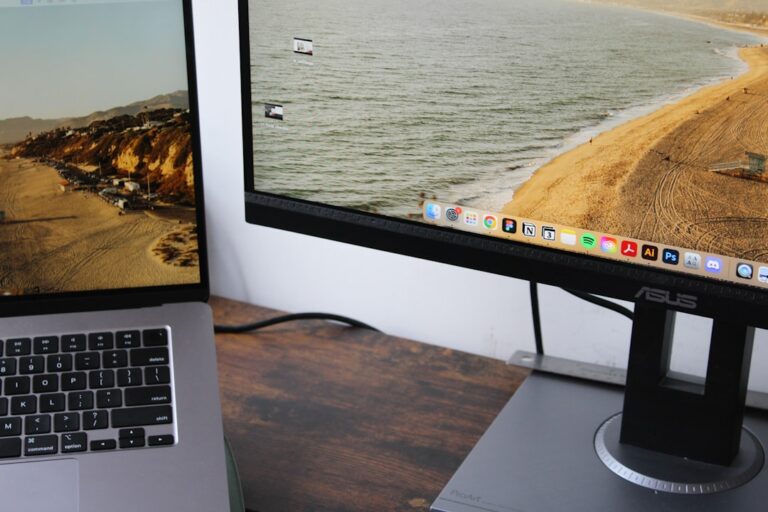
6. Monitor arm
A monitor arm can reclaim desk space, improve screen positioning and make a dual-monitor setup easier to adjust. Check the monitor’s VESA mounting pattern and the arm’s supported weight before buying.
7. Better webcam
If video calls matter for work, training or content creation, a dedicated webcam can provide better framing and low-light performance than an older built-in laptop camera. Lighting and positioning still matter as much as resolution.
8. USB microphone
Clear audio often improves a meeting, tutorial or livestream more than a small jump in video quality. A simple USB microphone can be a major upgrade for calls, voiceovers, podcasts and beginner creator setups.
9. GaN charger with multiple ports
A compact multi-port GaN charger can replace several bulky power bricks, but match the charger’s USB Power Delivery wattage to the laptop, tablet or phone you plan to power.
10. Retro gaming or streaming device
Small streaming boxes, retro handhelds and game devices can add entertainment to a television without building a full PC. The most important buying questions are software support, controller compatibility, storage, networking and the types of games or streaming services you actually use.
Buy around the problem, not the trend
The best upgrade is the one that removes friction from something you already do. Start with the bottleneck, confirm compatibility, and then compare products. Avoid buying a gadget simply because it is new.
Continue with PCFix411’s Tech Buying Guides, Home Office & Business Tech, Networking, Cloud & Security, and Gaming & Retro Tech.