
Some links on PCFix411 may earn a commission from GearReady, software partners, or Amazon Associates at no extra cost to you.
PS5 and Xbox Series X|S remain strong dedicated gaming machines in 2026, while a gaming PC makes more sense when you want upgradeability, higher performance ceilings, broader software support or one machine for gaming and work. The mistake is trying to match a console to one graphics card as if the hardware were identical. Consoles use fixed CPU, GPU, memory and storage designs; PC performance depends on the entire build.
This guide compares the current ninth-generation PlayStation and Xbox families with sensible NVIDIA GeForce and AMD Radeon PC shopping paths. The PC rows below are planning tiers, not claims that one GPU is a perfect console equivalent.
Quick Verdict
- Choose PS5 if you want a straightforward current PlayStation experience, strong first-party support and minimal hardware decision-making.
- Choose Xbox Series X if you want the stronger current Xbox, 4K-focused living-room gaming and a disc option on supported models.
- Choose Xbox Series S if the lower entry cost matters more than native-4K ambitions, a disc drive or maximum storage.
- Choose an NVIDIA gaming PC if you value GeForce features, CUDA-supported creator/AI workloads, high-refresh PC gaming and a broad upgrade path.
- Choose an AMD Radeon gaming PC if you want a current RDNA 4-based path and are comparing overall system value, VRAM, raster performance and open PC flexibility.
PS5, Xbox Series and Gaming PC Comparison
Start with what each complete platform delivers. The summaries below use broad hardware categories rather than pretending that a single PC graphics card directly equals a fixed console.
| Platform | Gaming / hardware | Storage / best fit |
|---|---|---|
| PlayStation 5 | Fixed Zen 2/RDNA 2-based console; 4K-focused quality/performance modes depend on the game and display. | Fast built-in SSD with supported M.2 expansion. Best for a PlayStation-first, simple console setup. |
| Xbox Series X | Custom eight-core Zen 2 and RDNA 2 console; higher Series-family graphics headroom and supported high-frame-rate modes. | NVMe storage; drive/disc configuration depends on the model. Best for higher-end Xbox living-room play. |
| Xbox Series S | Lower-power Xbox Series platform, usually targeting less demanding visual settings than Series X. | All-digital; storage size varies. Best for an entry-cost-first player with a digital library. |
| GeForce gaming PC | Modern CPU plus the exact RTX 50-series GPU in the listing; game performance varies sharply by tier and settings. | Upgradable CPU/GPU/SSD as compatible. Best for gaming plus software, streaming or CUDA-aware workflows. |
| Radeon gaming PC | Modern CPU plus the exact RX 9000-series GPU in the listing; evaluate per-game settings and tested results. | Upgradable components as compatible. Best for whole-system value and Radeon-specific software needs. |
These are practical buying categories, not controlled frame-rate benchmarks. For a fair price comparison, include the entire computer, required accessories, game access, subscriptions and storage needs.
Why There Is No Perfect Console-to-GPU Equivalent
A PS5 or Xbox Series console is a complete fixed platform. Its CPU, graphics processor, memory pool, storage path, operating system and game settings are known in advance. Developers can target that exact environment.
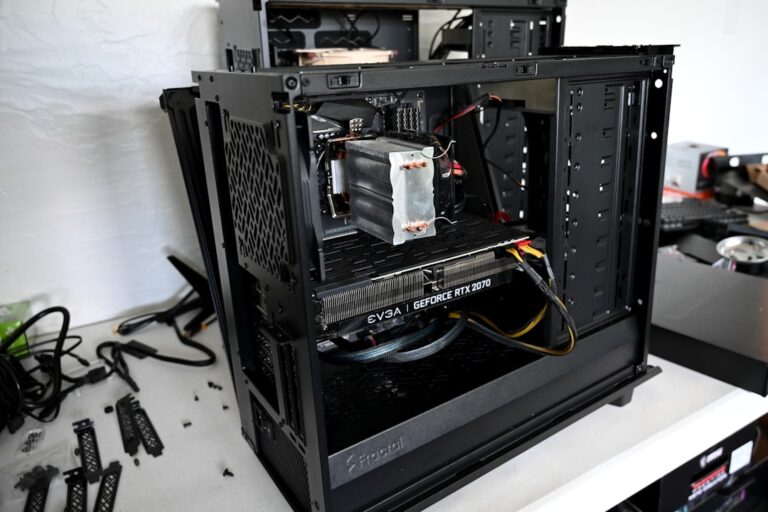
A desktop graphics card is only one part of a PC. The same GPU can perform differently depending on CPU speed, memory capacity and configuration, motherboard, power limits, cooling, driver version, background software, game settings and display resolution. Upscaling and frame-generation settings add another variable.
That is why PCFix411 uses buyer/performance classes instead of claiming that one GeForce or Radeon card is literally equal to one console.
PlayStation 5: Best for the Current PlayStation Ecosystem
The PlayStation 5 is the straightforward choice when you want to buy a console, install your games, and play without comparing desktop PC components. Sony’s fixed hardware combines an eight-core Zen 2-class processor with RDNA 2-based graphics, shared high-bandwidth memory, and fast internal SSD storage. Because developers target a known platform, you can normally choose a game’s quality or performance mode without adjusting dozens of PC graphics settings. That simplicity matters for a family room, a shared household console, or someone who wants an uncomplicated gaming system. It does not mean every PS5 game runs at native 4K or at 120 frames per second; actual modes depend on the title and compatible display.
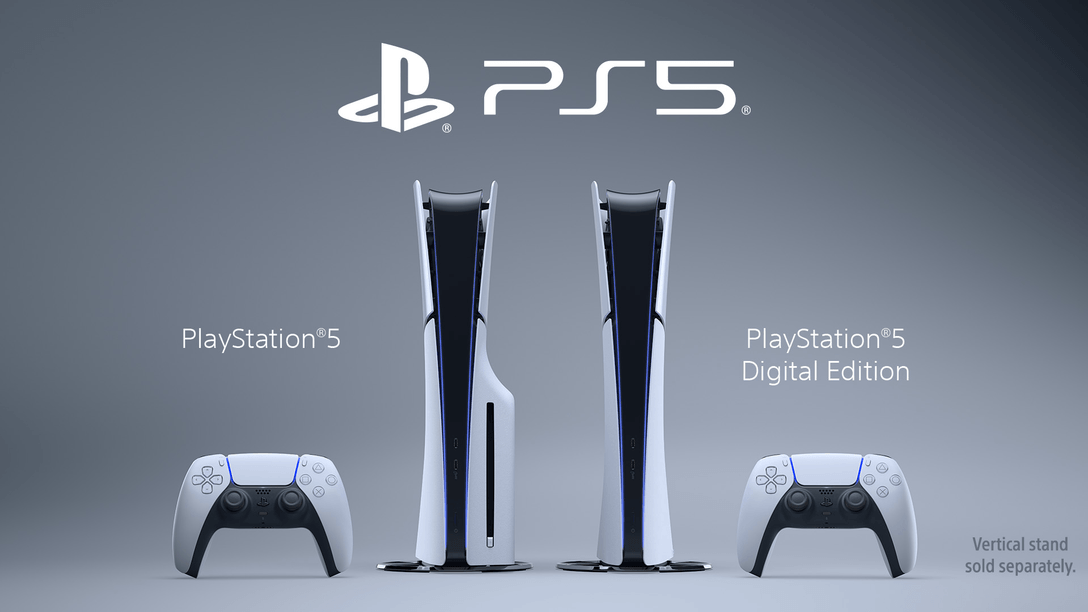
Pay particular attention to the edition you buy rather than treating every PlayStation 5 listing as identical. A disc-capable model is attractive if your household uses physical games, resells discs, or already owns a compatible collection. Digital-only configurations can be convenient, but the absence of a drive changes how you buy, share, and retain access to games. Internal storage is fast, yet large games and updates can consume the available space quickly, which makes compatible M.2 SSD expansion a meaningful ownership consideration. Confirm the exact current model, included usable capacity, drive configuration, controller, and bundle contents before paying.
The clearest reason to choose a standard PS5 is the PlayStation library and the ease of maintaining one fixed gaming device. If you already own a capable television and do not need a new computer for work, the console’s total upfront cost may be substantially simpler than assembling an entire gaming PC. A PC becomes more appealing when your priorities include adjustable graphics settings, a broader software library, keyboard-and-mouse gaming, or component upgrades over time. Some games release on both platforms while others differ in timing or availability, so check your must-play titles first. The real purchase decision is what you play, what equipment you already own, and how much time you want to spend maintaining the setup.
Xbox Series X: Best Xbox for 4K-Focused Console Gaming
The Xbox Series X targets players who want the higher-performance option in Microsoft’s current Series family without building a gaming PC. It uses a custom eight-core Zen 2 processor, RDNA 2-based graphics, and fast NVMe storage in a platform designed around predictable console software. Microsoft positions Series X for 4K-focused gaming and supports high-frame-rate output in compatible titles, but those capabilities are not a promise that every game runs in native 4K at 120 frames per second. The stronger graphics configuration generally gives developers more room for image quality and performance modes than the lower-cost Series S. For a living-room player, the advantage is a powerful fixed console experience with relatively little configuration work.
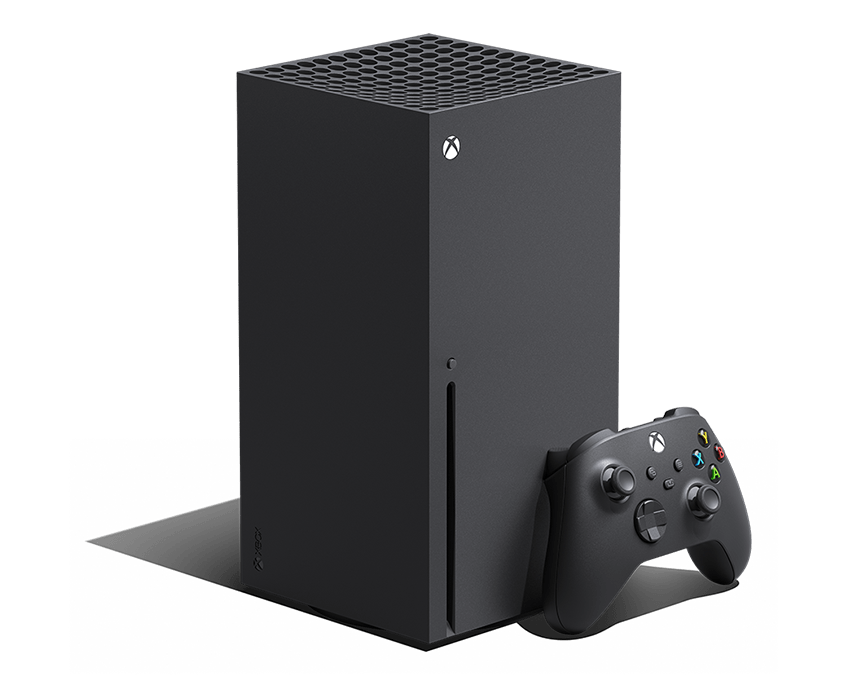
There are meaningful differences among Series X listings, particularly drive availability and internal storage capacity. Some configurations include a disc drive while others are all-digital, so do not infer physical-media support from the Series X name alone. Game installation sizes and downloadable updates can make a larger internal drive valuable if you rotate through several big releases. Storage expansion should be priced into the ownership budget when the included capacity would not meet your actual library needs. Check the console model, advertised usable storage, controller and accessories, and game-store or membership terms before comparing offers.
Series X makes the most sense when you already like the Xbox ecosystem and want a familiar console rather than PC troubleshooting and parts shopping. A comparable-feeling gaming PC can serve more jobs, including game modding, content production, and general desktop use, but its total cost includes the CPU, GPU, memory, storage, operating system and peripherals. Console convenience also has trade-offs, such as less user-upgradeable performance hardware and platform-specific purchasing decisions. If your goal is a high-refresh competitive experience on a desk monitor, compare actual games and supported modes instead of assuming either platform will always win. Choose Series X for a capable console-first setup, not because a raw console GPU specification supposedly equals one particular desktop graphics card.
Xbox Series S: Best When Entry Cost Matters Most
Xbox Series S is the smaller, all-digital member of the current Xbox Series family and is best approached as a budget-and-convenience decision. It uses the current console software architecture but has less graphics capacity than Series X, which can affect visual settings and performance options. Microsoft positions Series S around a 1440p-class target, with high-frame-rate support in compatible games rather than across every release. Its compact design works well for a smaller entertainment area, a secondary screen, or a household that prefers digital downloads. The key benefit is a lower-cost entry to the same broad Xbox generation, not identical output quality to its larger sibling.
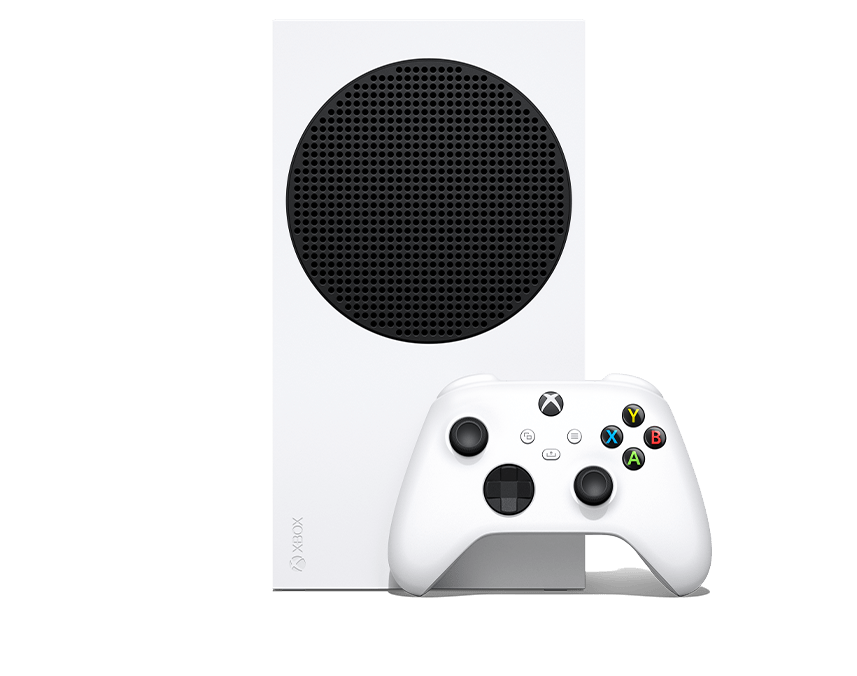
The all-digital design should be a conscious buying choice because you cannot use physical game discs on Series S. Digital games, downloadable content, and updates all occupy storage, and the original smaller-capacity configuration can fill quickly if you keep several large titles installed. Higher-capacity configurations and supported expansion options deserve comparison against the price difference for Series X. A low initial price is less compelling if you immediately need expensive extra storage or must replace an otherwise functional disc-based library. Check available storage, bundle details, service subscriptions, and whether the games your household wants run in the modes you expect.
For casual players and people who primarily use a digital library, Series S can be a smart way to avoid overbuying hardware. It is less appropriate for someone who specifically wants a disc drive, the highest console visual settings, or substantial graphics headroom for future titles. A budget PC may offer broader applications and upgradeability, but it is not automatically cheaper once a compatible display, CPU, GPU, memory and accessories are counted. Consider the number of games you actively install, whether you value quick setup, and whether you already own a strong PC. If the extra cost of a Series X is modest after adding storage, compare those two actual purchase totals before settling on Series S.
NVIDIA GeForce PC Path: RTX 50 Series in 2026
An NVIDIA GeForce gaming PC is a flexible option when games are only part of what you want the computer to do. The GeForce RTX 50-series lineup spans entry and enthusiast tiers, so the label alone does not describe a system’s real gaming capability. A balanced gaming PC also needs a suitable processor, enough system memory, fast storage, reliable cooling, and a power supply matched to the graphics card. For many buyers, the goal should be a stable 1080p or 1440p experience at their desired settings rather than purchasing the highest model number available. Actual performance varies across games, ray-tracing modes, drivers, upscaling settings, and monitor refresh rates.
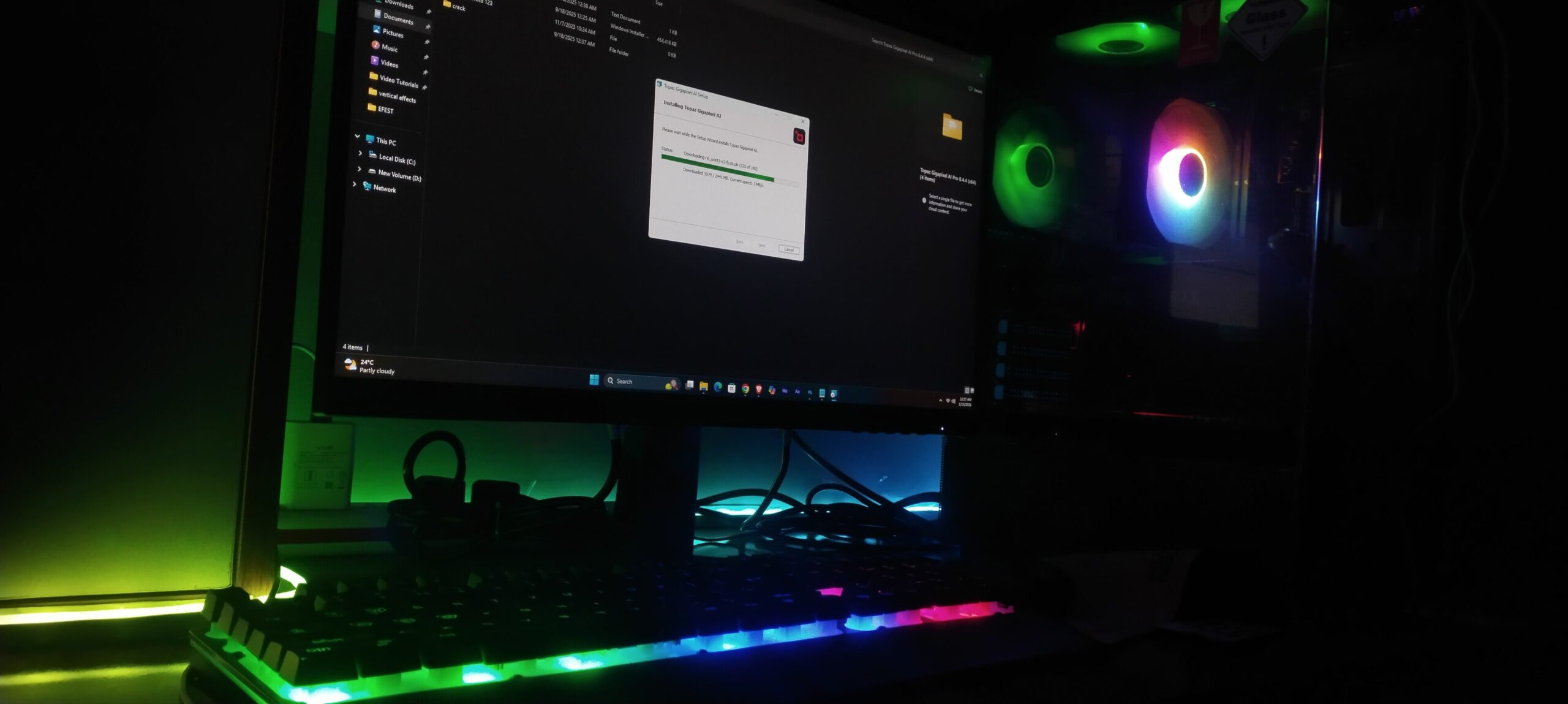
NVIDIA’s RTX ecosystem can be relevant beyond gaming if you use creator tools, streaming software, or programs that depend on supported CUDA or AI acceleration. Those advantages are application-specific; verify that the exact software you use supports the feature instead of assuming every editing or AI workload benefits equally. Technologies such as DLSS may improve perceived smoothness or image reconstruction in supported games, but they are not substitutes for comparing native rendering performance and image quality. Some workloads benefit more from system RAM, CPU power, SSD speed, or a larger GPU memory configuration than from upgrading the GPU alone. Look at complete-system specifications and trustworthy game-specific tests when comparing prebuilt computers.
For a first gaming-PC purchase, compare complete PC prices rather than a graphics-card price against a finished console. For an upgrade to an existing desktop, verify case clearance, power connectors, PSU capacity, cooling, and whether the CPU is likely to limit the games you play. A less expensive GeForce system may make sense for a high-refresh 1080p setup, while premium tiers are more easily justified by demanding 1440p or 4K displays and specialized software needs. Budget for peripherals and software you do not already own, but do not charge the PC again for a monitor or accessories that already work. GeForce is the right route when its performance, software support, and long-term flexibility actually match your individual workloads.
| NVIDIA Planning Tier | Practical Direction | Best Fit |
|---|---|---|
| RTX 5060-class PC | Balanced modern 1080p build; some 1440p depending on title/settings | Value-conscious PC transition |
| RTX 5070-class PC | Strong 1440p/high-refresh direction with broader headroom | Console upgrader who wants a clearly more flexible PC |
| RTX 5080/5090-class PC | Premium 4K/high-refresh and demanding creator/AI workloads | Enthusiast buyer; not necessary for simple console replacement |
AMD Radeon PC Path: RX 9000 Series in 2026
An AMD Radeon gaming PC offers a second modern desktop-gaming route with a focus on complete-system value and graphics features. AMD’s Radeon RX 9000-series lineup is built around RDNA 4, but one Radeon label does not guarantee a particular frame rate, resolution, or visual-quality setting. The processor, memory, graphics-card model, VRAM capacity, storage, cooling and power delivery all influence the experience you will actually get. At the affordable end, judge a build by the games and monitor it is intended to serve, while higher-tier cards are aimed at more demanding settings and displays. As with GeForce, a fair comparison requires the same games, presets and rendering conditions.
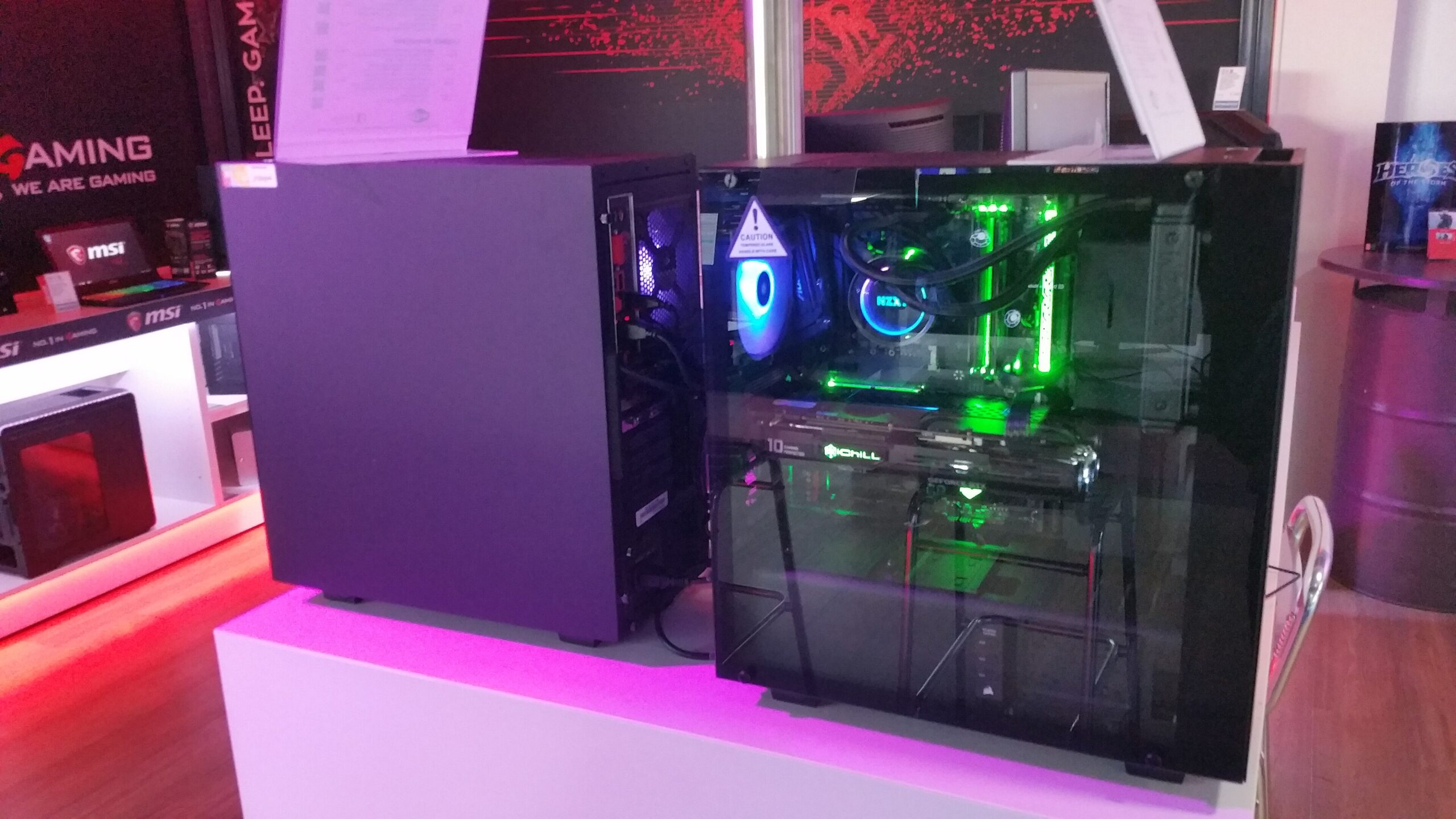
Radeon buyers should examine both the graphics hardware and the software features that matter to their favorite games. AMD’s FSR and related display or driver technologies vary in support and results, so feature names alone should not determine the winner. VRAM size is only one purchasing factor and should be considered alongside memory bandwidth, the game’s texture settings, GPU throughput and actual benchmark evidence. If you edit videos, use 3D software, or run AI tools, check the current application vendor’s support for the Radeon configuration before ordering. A cheaper complete system that performs well in the applications you actually use can be a better purchase than a more expensive GPU chosen for its branding.
For an existing gaming desktop, start by checking whether a Radeon GPU upgrade is physically and electrically compatible with the rest of the machine. Check power connectors, available case space, airflow, and processor balance before assuming a new graphics card is the most effective upgrade. For a new PC, compare Radeon-based prebuilts with similarly equipped GeForce alternatives and include memory, storage, warranty and service support in the comparison. Separate seller claims from demonstrated game performance, especially when upscaling and frame generation are used in advertised numbers. Radeon makes the most sense when the verified price and performance of the entire system align with your gaming goals and non-gaming software needs.
| Radeon Planning Tier | Practical Direction | Best Fit |
|---|---|---|
| RX 9060 XT-class PC | Modern 1080p/1440p gaming with a balanced system | Value/performance-focused PC transition |
| RX 9070-class PC | Stronger 1440p and 4K-oriented headroom depending on settings | Buyer wanting a clearly higher performance ceiling than fixed consoles |
| RX 9070 XT-class PC | Higher-end Radeon path for demanding displays and settings | Enthusiast gaming build |
NVIDIA vs Radeon: Which PC Route Fits You?
| Decision | NVIDIA GeForce | AMD Radeon |
|---|---|---|
| Current family | RTX 50 series / Blackwell | RX 9000 series / RDNA 4 |
| Upscaling / frame technologies | DLSS features (game and version support varies) | FSR / HYPR-RX ecosystem |
| Creator/AI consideration | Strong CUDA/software ecosystem can matter for specific applications | Evaluate support in the exact creator/AI apps you use |
| Buying rule | Compare whole-system performance and price | Compare whole-system performance and price |
Console vs PC Total Cost: What Actually Changes the Decision?
A console normally costs less to put in a living room because the CPU, graphics, memory, storage, case, cooling and power supply are already integrated. But total ownership can include storage expansion, extra controllers, headsets, online subscriptions and a display upgrade.
A gaming PC costs more when you buy the entire system, but it can also replace a work desktop, editing machine, streaming system or general-purpose computer. It can be upgraded in stages instead of replaced as one fixed box.
Compare the cost of the jobs you need the machine to do, not just console MSRP versus graphics-card price.
Five-year total-cost worksheet: compare complete setups
A fair console-versus-PC budget includes what you must buy and what you will actually use. Fill in real local prices and subscriptions for both options; do not compare a console’s full retail package with the standalone price of a PC graphics card.
| Cost item | Console scenario | Gaming PC scenario |
|---|---|---|
| Upfront system | Console model, included controller and storage
Cost: $ ______
|
Entire PC, including CPU, GPU, memory, storage, cooling, PSU and OS
Cost: $ ______
|
| Display and input | TV or monitor, headset, extra controllers if needed
Cost: $ ______
|
Monitor, keyboard/mouse or controller, headset if needed
Cost: $ ______
|
| Games and memberships | Planned games; applicable online membership
Cost: $ ______
|
Planned games; optional services
Cost: $ ______
|
| Storage expansion | Compatible expansion and expected game-library size
Cost: $ ______
|
Extra NVMe SSD capacity if necessary
Cost: $ ______
|
| Upkeep and upgrades | Repairs or replacement allowance
Cost: $ ______
|
Compatible upgrades, maintenance and power differences
Cost: $ ______
|
| Work beyond gaming | Cost of a separate work PC if genuinely needed
Cost: $ ______
|
Credit relevant work applications only if you actually use them
Cost: $ ______
|
| Five-year total | Sum all console scenario costs
Cost: $ ______
|
Sum all PC scenario costs
Cost: $ ______
|
Compare the totals: system + necessary peripherals/display + actual games/memberships + storage + planned repairs/upgrades + expected operating costs, minus a realistic resale value only if you intend to sell. Keep the same time horizon for each. Exclude already-owned equipment unless its replacement cost differs between choices. If you already own a serviceable PC, calculate the incremental cost of a compatible upgrade separately from buying a whole new gaming PC.
If PlayStation library access or a particular console-exclusive experience drives your decision, put that requirement ahead of theoretical GPU value. If you stream, edit, run software tools or prefer higher-refresh competitive PC gaming, evaluate the complete system against those specific workloads rather than assuming every PC automatically outperforms a console.
Controller Choice Can Follow You Across Platforms
If you move between PC, Switch, Android TV or retro devices, a multi-platform controller can reduce the number of accessories you need. PCFix411’s Game Controller Buying Guide compares Hall Effect, TMR, Bluetooth, 2.4GHz and wired options.
Which Should You Buy in 2026?
First, choose the games and applications that matter to you. Then compare the complete system cost, not just a console box against a desktop graphics-card price. If physical discs, existing game-library access or easy maintenance are priorities, the specific console edition matters. If video editing, modding, desktop software or component upgrades matter just as much as gaming, compare a complete PC around those jobs. These are shopping directions—not performance rankings, and not claims that one PC GPU perfectly equals a console.
The tracked shopping links below lead to existing approved PCFix411 shopping routes, where you should verify exact current listings before buying. NVIDIA and Radeon links intentionally go to the broader gaming-PC collection rather than pretending a particular graphics card is in stock. Check the actual model, price, seller, warranty and accessories on the destination. An affiliate purchase may support PCFix411 at no additional cost to you when the seller’s program applies. A guide remains useful even if a specific listing changes, which is why we avoid hard-coded price guarantees.
- Buy a PlayStation 5 →
PlayStation-first games, familiar console controls and straightforward living-room setup.
- Compare Xbox Series X consoles →
Higher-end current Xbox experience; verify the exact disc and storage configuration.
- Compare Xbox Series S consoles →
Smaller all-digital Xbox for a lower entry cost; price the storage you will need.
- Compare NVIDIA GeForce gaming PCs →
Look for a complete PC that lists the exact RTX graphics card, processor, storage and memory.
- Compare AMD Radeon gaming PCs →
Check a complete Radeon-powered system and verify its actual RX model and software compatibility.
Sources and Verification
Primary technical sources (checked October 17, 2026): PlayStation 5 features and storage expansion; Microsoft Xbox Series X models and technical specifications; NVIDIA GeForce RTX 50 Series official lineup; and AMD Radeon desktop GPU lineup. These manufacturer pages establish product families and supported features, not direct console-to-PC benchmark equivalence or guaranteed frame rates.
Method and limitations: Performance recommendations are broad buying tiers, not measured head-to-head results. Actual game performance depends on resolution, presets, upscaling, ray tracing, drivers and complete PC configuration. Product prices, model availability and retailer bundles change; use the approved tracked shopping routes in this guide to check current listings. This article does not claim to have tested every configuration.
Bottom Line
Ninth-generation consoles remain excellent dedicated gaming systems because they combine fast SSD storage, modern CPU/GPU architecture and predictable software targets. A modern gaming PC wins on flexibility, upgradeability and performance ceiling, but only when the entire system is balanced.
Do not ask which single PC graphics card is ‘the PS5 GPU’ or ‘the Xbox GPU.’ Decide your resolution, frame-rate target, game library and non-gaming workload first, then choose the complete NVIDIA or Radeon system that fits that target.