Some links on PCFix411 may earn a commission from GearReady, software partners, or Amazon Associates at no extra cost to you.
This game controller buying guide starts with the decision that matters most: what you actually play on. Controller shopping gets confusing fast because the spec sheet mixes together several different questions—platform support, connection type, stick and trigger technology, polling rate, and the layout that feels right for your games.
This article is built around the 12 controllers currently represented in GearReady’s Game Controllers collection, not a generic list of specifications. That gives us real products to compare while explaining what Hall Effect, TMR, Bluetooth, 2.4GHz wireless, wired USB, polling rate, gyro and platform compatibility actually mean.
Quick Picks: Which Controller Fits Which Setup?
If you do not want to study every specification, start with the device you actually plan to play on. These are the clearest matches in the current collection based on connection type, platform support and feature set.
- Xbox / Windows wired pick: 8BitDo Ultimate C Wired Controller for Xbox — official Xbox compatibility, Hall Effect sticks and triggers, wired USB and a 3.5mm audio jack.
- Multi-platform performance pick: Machenike G1 — 1K polling-rate positioning plus Hall Effect sticks and triggers for Switch, PC, iOS and Android.
- Premium multi-mode pick: Machenike G5 Pro V2 — wired, Bluetooth and 2.4GHz connectivity with a charging dock and hot-swappable joystick design.
- Switch-focused RGB pick: Linyuvo KS42 Meteor — built around Switch, Lite and OLED with RGB lighting, turbo and vibration.
- Lower-cost Hall Effect option: G6 Wireless Bluetooth controller — Hall Effect sticks and triggers with Switch and PC support.
- Modern tri-mode mobile/Switch pick: GameSir Cyclone 2 — TMR sticks, Hall Effect triggers and wired, Bluetooth and wireless-dongle connectivity.
- Retro / Android TV couch option: Wireless 2.4G Dual Game Controller — designed around Android, Linux, PC and smart TV boxes.
- Arcade / fighting-game option: choose between the 4-in-1 Wired Arcade Joystick and the larger Wired Arcade Game Joystick based on the platforms you need.
Shop the Full GearReady Controller Collection
Game Controller Buying Guide Comparison: 12 Controllers by Connection and Platform
| Controller | Connection / Input Tech | Listed Platforms | Best Fit |
|---|---|---|---|
| 8BitDo Ultimate C Wired Xbox | Wired USB; Hall Effect sticks + triggers | Xbox Series X|S, Xbox One, Windows | Reliable wired Xbox/PC gaming |
| Machenike G1 | Wireless/wired positioning; 1K polling; Hall sticks + triggers | Switch, PC, iOS, Android | Cross-platform performance |
| Machenike G5 Pro V2 | Wired, Bluetooth, 2.4G; 1000Hz listing; hot-swappable design | PC, Switch, mobile | Premium desk + couch setup |
| Linyuvo KS42 Meteor | Wireless; RGB; turbo; vibration | Switch, Switch Lite, Switch OLED | Switch-first casual/feature play |
| G6 Wireless Bluetooth | Bluetooth; Hall Effect sticks + triggers | Switch, PC | Value-focused magnetic-sensor gamepad |
| Wireless Bluetooth Pro Controller | Bluetooth | Switch family, PC, Android | Simple multi-device wireless play |
| Wireless 2.4G Dual Game Controller | 2.4GHz receiver | Android, Linux, PC, smart TV box | Retro boxes and living-room emulation |
| Gaminja Wireless Bluetooth Gamepad | Bluetooth; 6-axis gyro; dual vibration | PS4, PS3, PC | PlayStation-style layout and motion |
| Wireless Bluetooth Gamepad for PS3 | Bluetooth; Sixaxis-style motion | PlayStation 3 | Keeping a PS3 setup usable |
| 4-in-1 Wired Arcade Joystick | Wired USB; 3m cable; turbo | Switch, PS3, PC, Android TV | Arcade/fighting games across several devices |
| Wired Arcade Game Joystick | Wired USB | PS3, PS4, Switch, PC, Android TV, listed Xbox support | Dedicated arcade-style setup |
| GameSir Cyclone 2 | Wired, Bluetooth, wireless dongle; TMR sticks; Hall triggers | Switch family, PC, iPhone/iOS, Android | Modern multi-platform play |
Compatibility can depend on operating mode, firmware and the exact console/device generation. For generic multi-platform controllers in particular, confirm the live GearReady listing before buying for one specific system.
Game Controller Buying Guide: Hall Effect and TMR Sticks
Traditional analog sticks commonly use potentiometers, which rely on physical contact to measure stick position. Over time, wear or contamination can contribute to inconsistent readings and the problem players usually call stick drift. Hall Effect sensors measure a magnetic field instead of depending on the same sliding contact surface, which is why Hall-based controllers are attractive to buyers focused on long-term consistency.
That does not mean every Hall Effect controller automatically feels better. Firmware, dead-zone tuning, stick tension, calibration, shell ergonomics and game support still matter. Hall Effect is best treated as one strong hardware feature—not a substitute for evaluating the whole controller.
TMR, or tunnel magnetoresistance, is another magnetic sensing approach. The important shopping lesson is that Hall Effect and TMR are not the same label, even though both can be used to avoid a traditional contact-based potentiometer design. GameSir’s Cyclone 2 is a useful example: its current manufacturer specification highlights TMR sticks while using Hall Effect analog triggers.
1. 8BitDo Ultimate C Wired Controller: Best Fit for Xbox and Windows Players Who Prefer USB
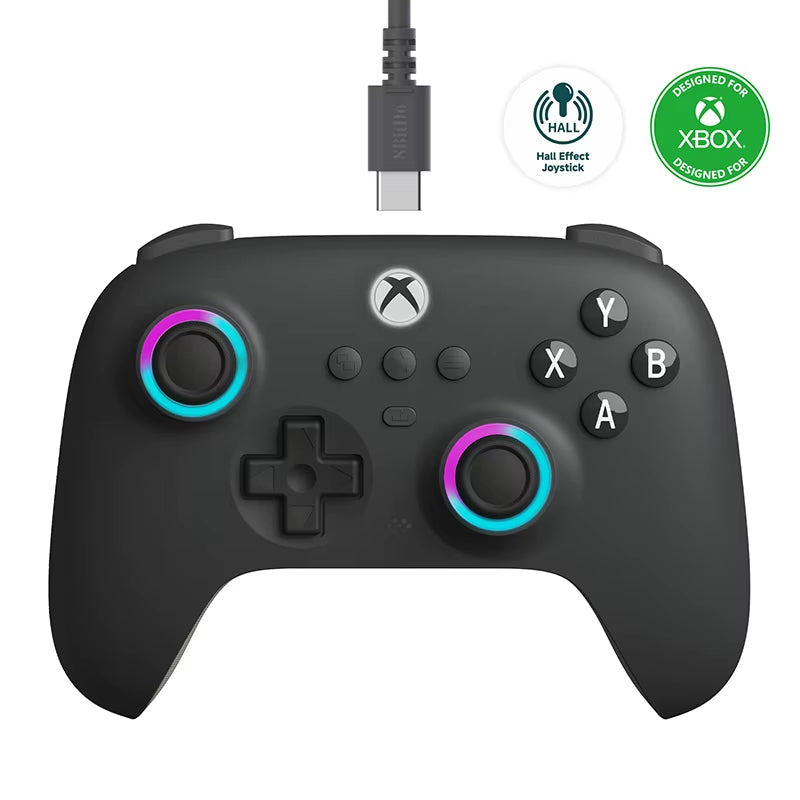
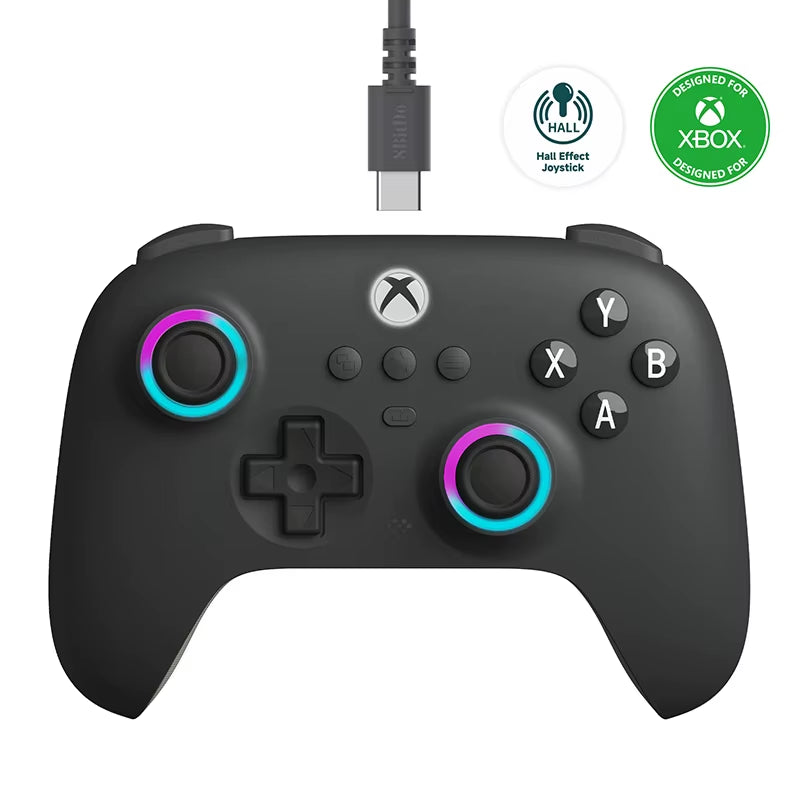
The 8BitDo Ultimate C Wired Controller for Xbox is the easiest product in this lineup to understand: it is for buyers who want a modern Xbox-style controller without dealing with charging, pairing or a wireless receiver.
8BitDo’s current manufacturer documentation lists official Xbox licensing, Xbox Series X|S, Xbox One and Windows compatibility, wired USB connectivity, Hall Effect joysticks and triggers, a 3.5mm audio jack, vibration and the RGB Fire Ring around the sticks. That combination makes it a logical choice for a desk PC, an Xbox setup, or anyone who simply values plug-and-play reliability over wireless freedom.
Skip it if: your priority is couch-distance wireless play or Switch/mobile support.
Check 8BitDo Ultimate C compatibility & details →
2. Machenike G1: High-Polling, Hall Effect and Broad Platform Coverage
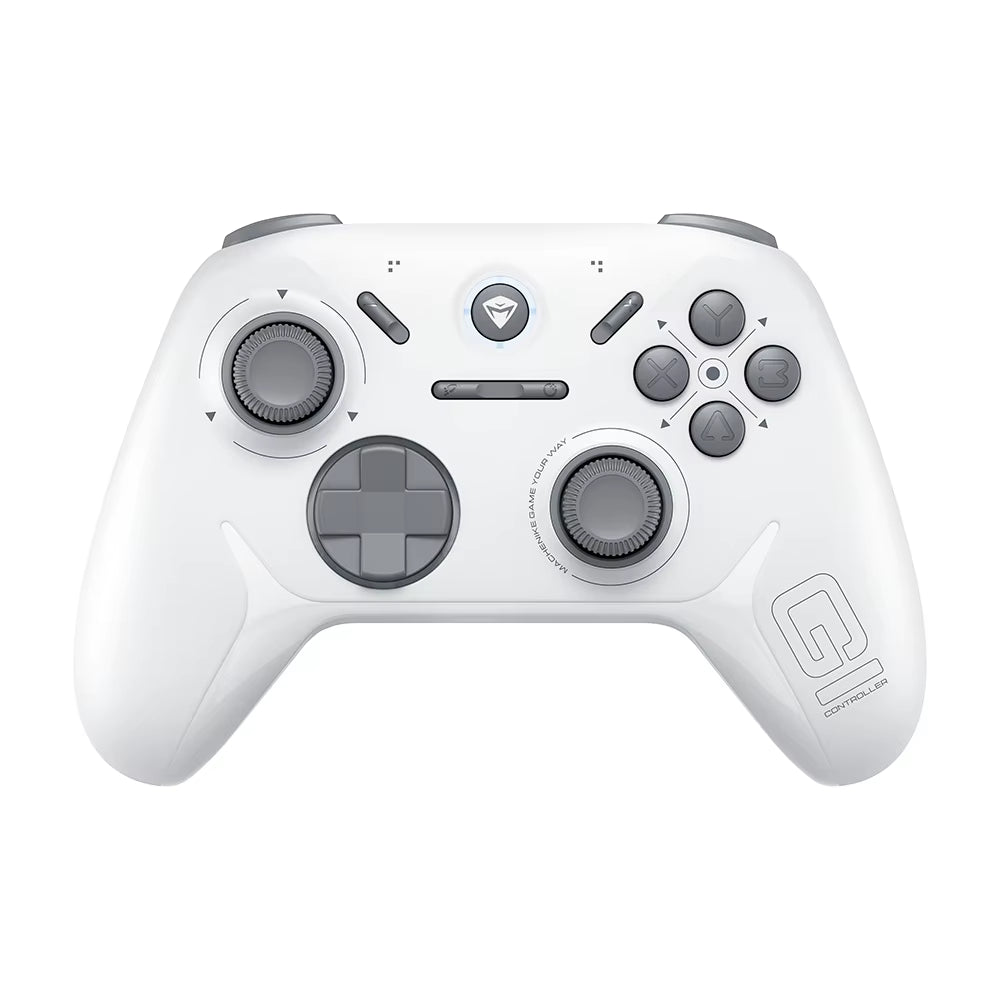
The Machenike G1 is positioned for players who want more performance-oriented specifications without being locked to one ecosystem. GearReady’s current listing highlights a 1K polling rate, Hall Effect triggers and joysticks, and support for Switch, PC, iOS and Android.
That mix is more meaningful than RGB or macro counts if your real goal is one controller that can move between a Windows PC, a Switch and mobile devices. The key is to check which connection mode and polling rate apply to the device you plan to use, because headline polling-rate figures are not always identical across wired, Bluetooth and receiver modes.
Buying check: verify the supported connection mode and polling behavior for your primary platform.
Check Machenike G1 specs & compatibility →
3. Machenike G5 Pro V2: The Premium Docked Multi-Mode Option
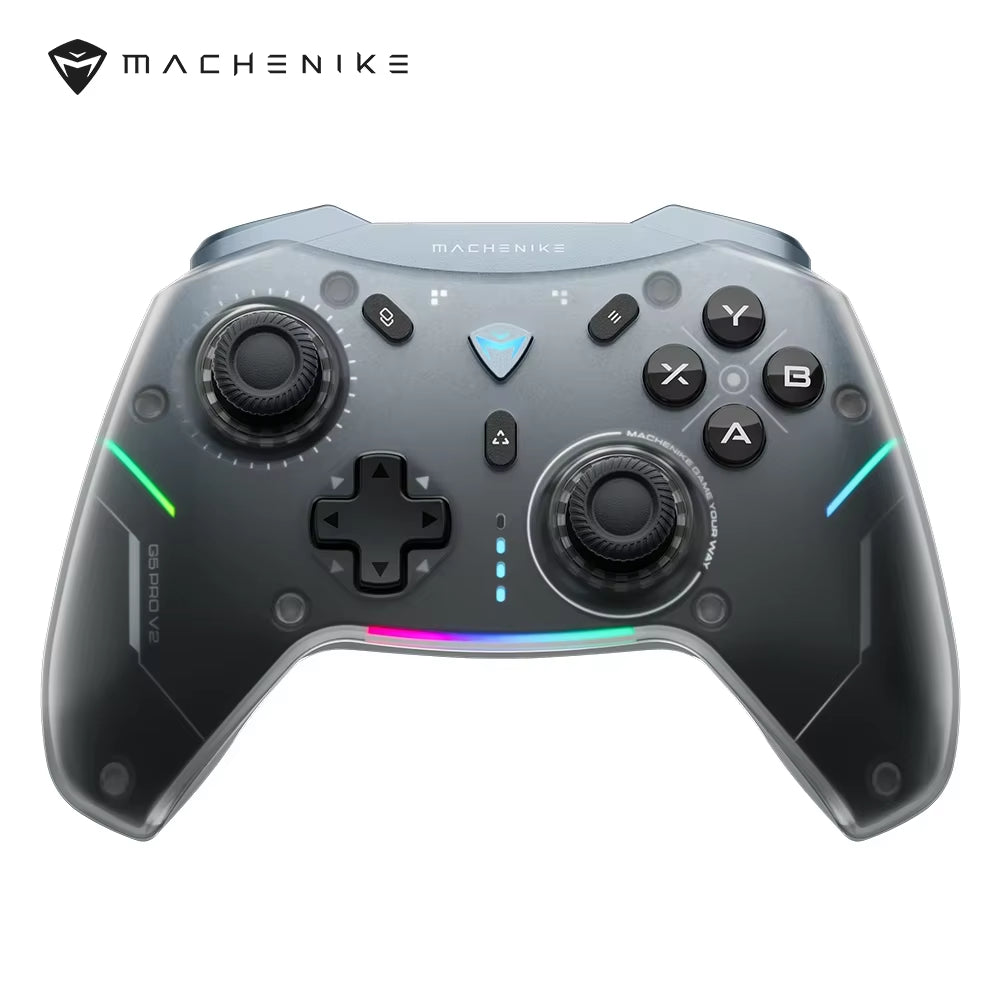
The Machenike G5 Pro V2 is the most feature-heavy Machenike option in this collection. Machenike’s own current product page identifies wired, Bluetooth and 2.4G connection modes. GearReady’s listing adds the 1000Hz positioning, hot-swappable joystick design and RGB charging dock.
This is the kind of controller to consider when one device needs to cover a desk setup and a living-room setup. Wired mode can handle a stationary PC session, the 2.4GHz receiver can provide a dedicated wireless path, and Bluetooth gives you another compatibility option for supported mobile or Switch use.
Skip it if: you only need a basic wired pad for one platform.
See Machenike G5 Pro V2 features & details →
4. Linyuvo KS42 Meteor: A Switch-First RGB Controller
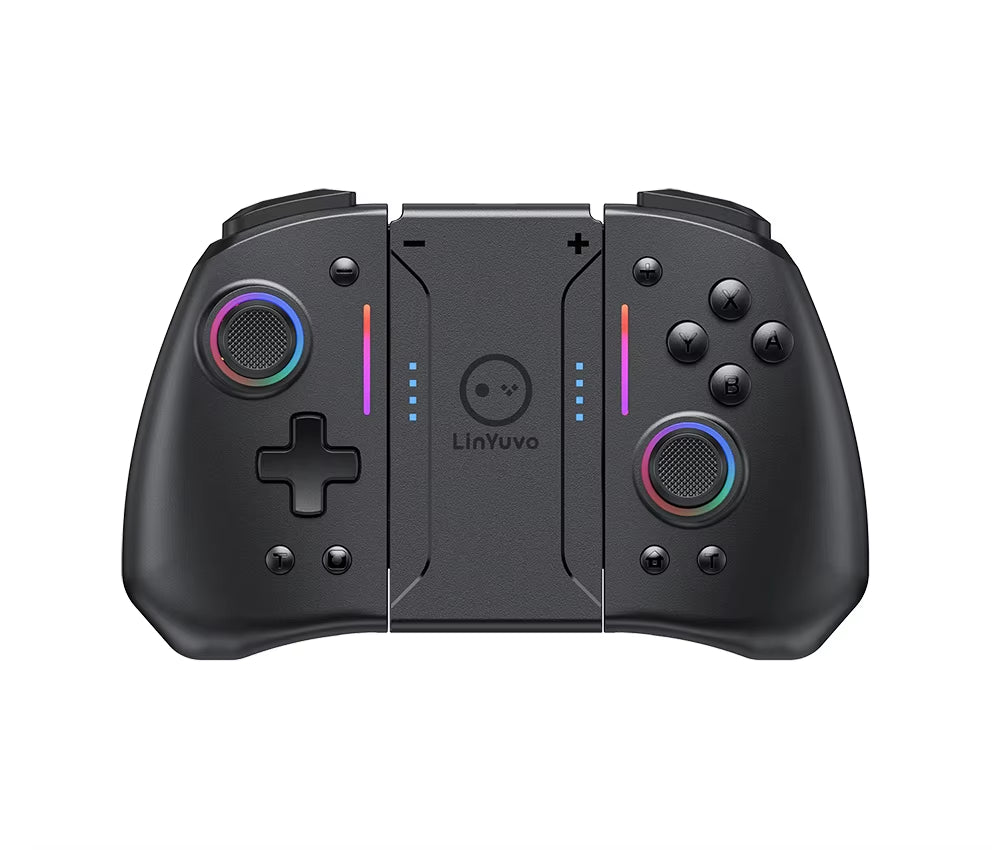
The Linyuvo KS42 Meteor takes a different approach. Instead of competing on Xbox licensing or PC-centric polling claims, it is positioned around the Switch family with RGB lighting, programmable turbo and vibration.
That makes it a cleaner fit for a buyer who mainly plays Switch games and values convenience and extra controller features. For competitive PC use, another controller in the collection may make more sense; for Switch-first play, the KS42’s feature mix is easier to justify.
Check Linyuvo KS42 features & compatibility →
5. G6 Wireless Bluetooth: Hall Effect at the Value End of the Lineup
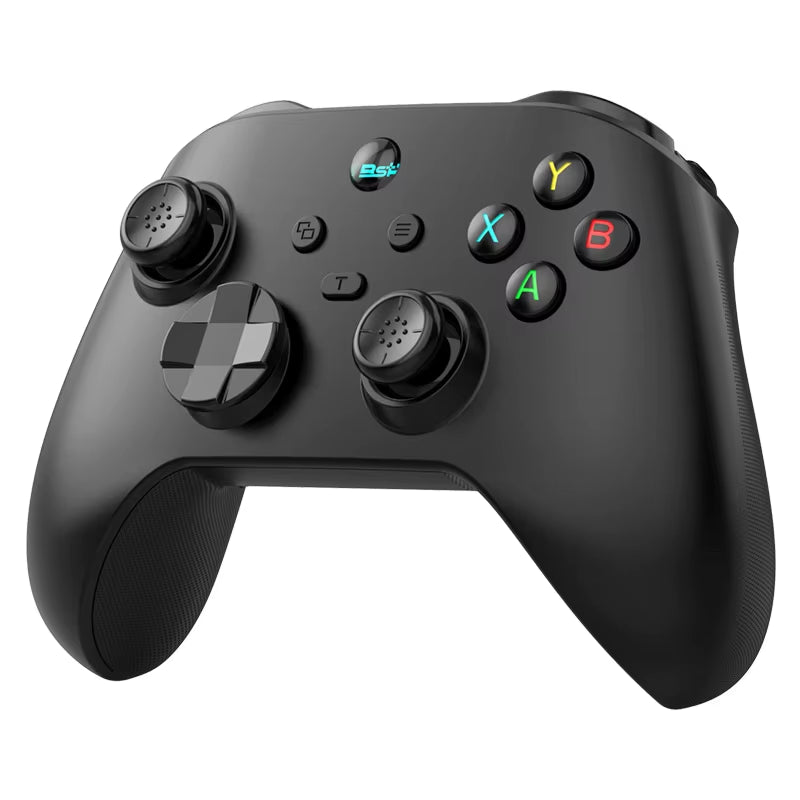
The G6 Wireless Bluetooth Mobile Game Controller is interesting because the GearReady listing brings Hall Effect triggers and Hall Effect joysticks into a controller positioned for Switch and PC.
For shoppers using this game controller buying guide to move away from traditional potentiometer sticks without stepping up to a docked premium package, the G6 deserves a look. The tradeoff is that the broader brand ecosystem and software support are less obvious than with a major branded controller, so verify firmware, remapping and exact platform-mode details if those features matter to you.
See G6 Hall Effect controller details →
6. Wireless Bluetooth Pro Controller: Simple Switch, PC and Android Flexibility
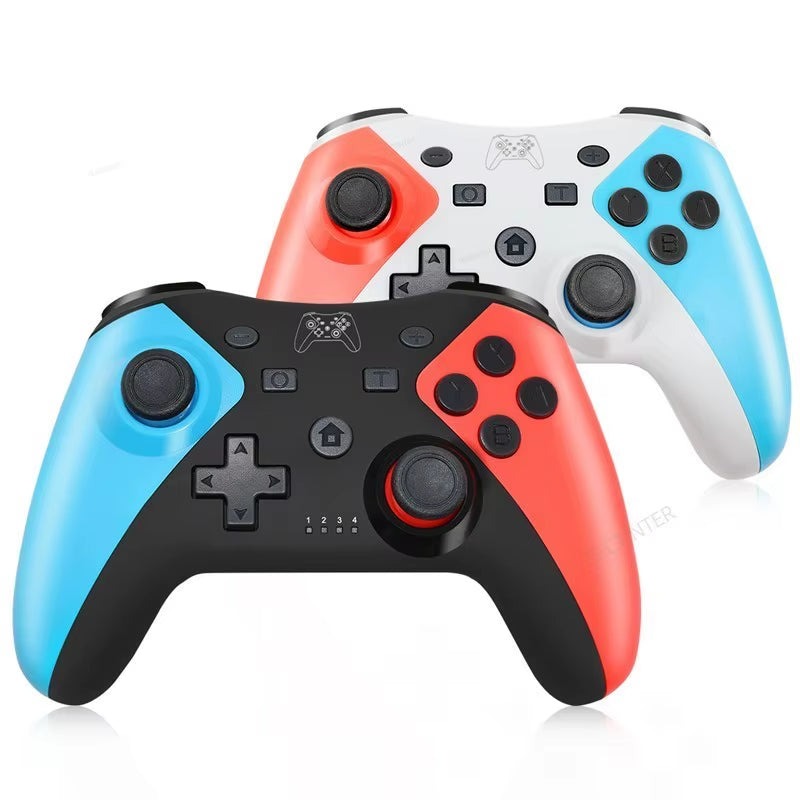
The Wireless Bluetooth Pro Controller is aimed at shoppers who care more about broad day-to-day compatibility than premium sensor technology. The current listing targets the Switch family along with PC and Android.
Bluetooth’s biggest advantage is convenience: many computers, tablets, phones and gaming devices already have it built in, so there is no USB receiver to lose. The downside is that Bluetooth latency and behavior can vary by device and operating mode. For casual couch gaming, emulation and general play, that tradeoff is often acceptable.
Check Wireless Bluetooth Pro compatibility →
7. Wireless 2.4G Dual Game Controller: A Natural Match for Retro Boxes and Android TV
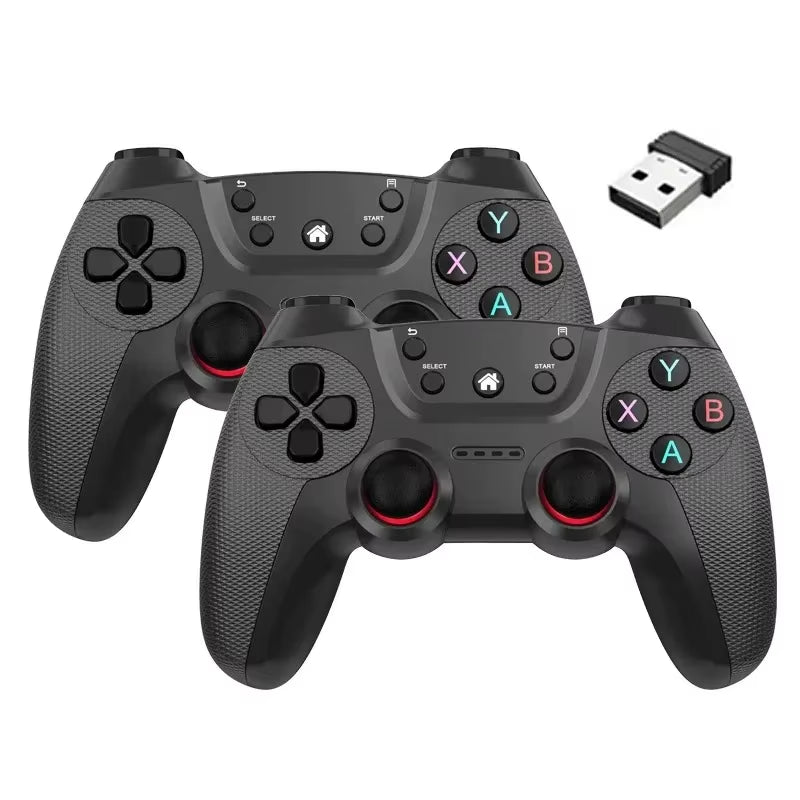
The Wireless 2.4G Dual Game Controller is one of the most relevant products in this collection for PCFix411 readers building retro or television-based gaming systems. Its listing targets Android, Linux, PC and smart TV boxes—the same kinds of devices that appear in many emulation and game-stick setups.
A dedicated 2.4GHz receiver can be a better fit than Bluetooth when you want a predictable connection to a TV box or small PC that already has an open USB port. The important check is receiver compatibility: confirm the host device has the right USB connection and supports the controller before assuming that every Android or Linux box will behave identically.
See 2.4G Dual Controller details & fit →
8. Gaminja Bluetooth Gamepad: PlayStation-Style Controls with Gyro and Vibration
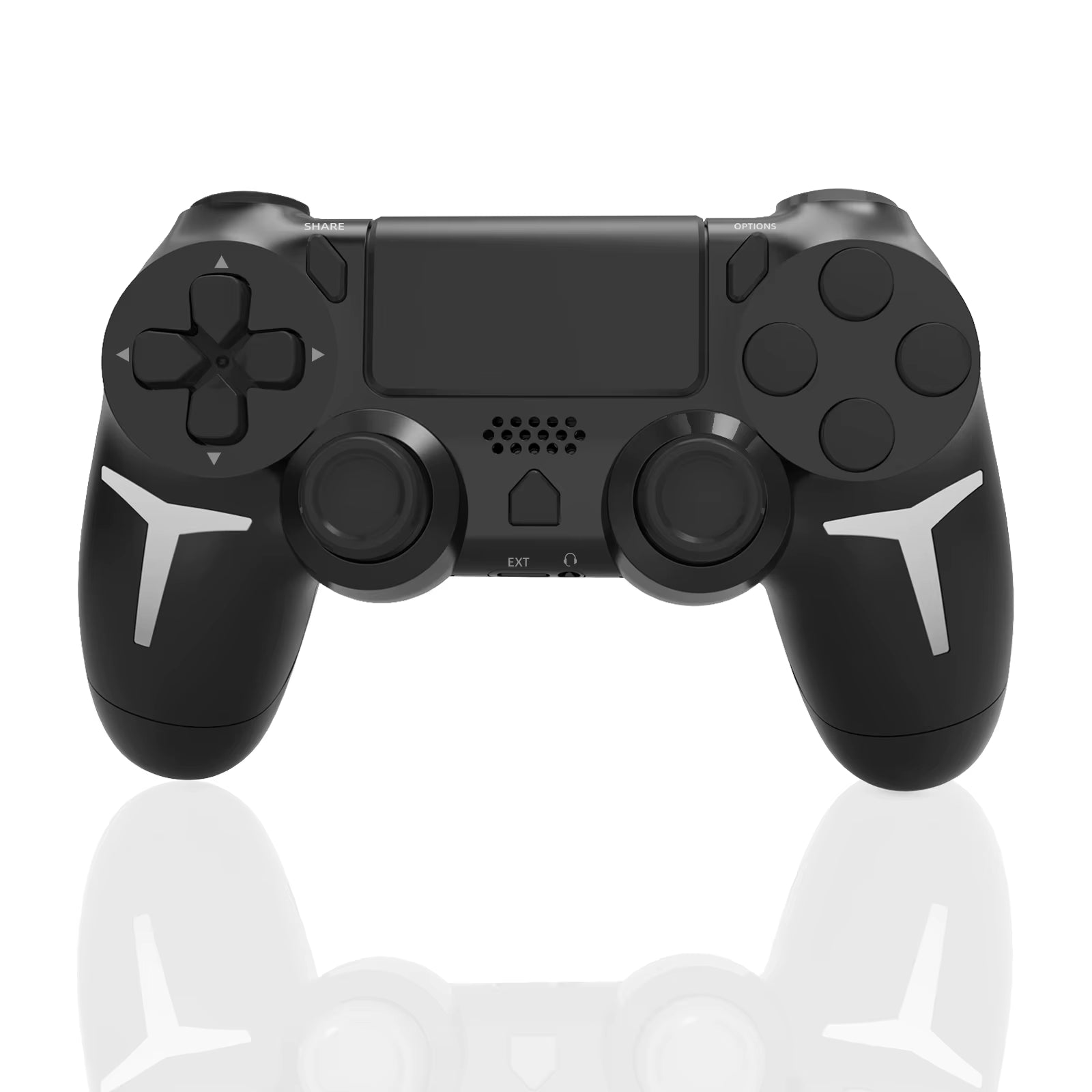
The Gaminja Wireless Bluetooth Gamepad is targeted at PS4, PS3 and PC users and adds 6-axis gyro, dual vibration and a touch-pad-style layout. That makes it more relevant to players who prefer a PlayStation-like controller shape or need motion-related features than to someone buying specifically for Xbox or Android TV.
As with any third-party PlayStation-style controller, check the exact features your game relies on. Basic button input, vibration, gyro, headset support and touch functions are separate capabilities; one compatibility label does not guarantee every console-specific feature behaves exactly like an original first-party controller.
Check Gaminja Gamepad features & compatibility →
9. Wireless Bluetooth Gamepad for PS3: A Focused Legacy-Console Replacement
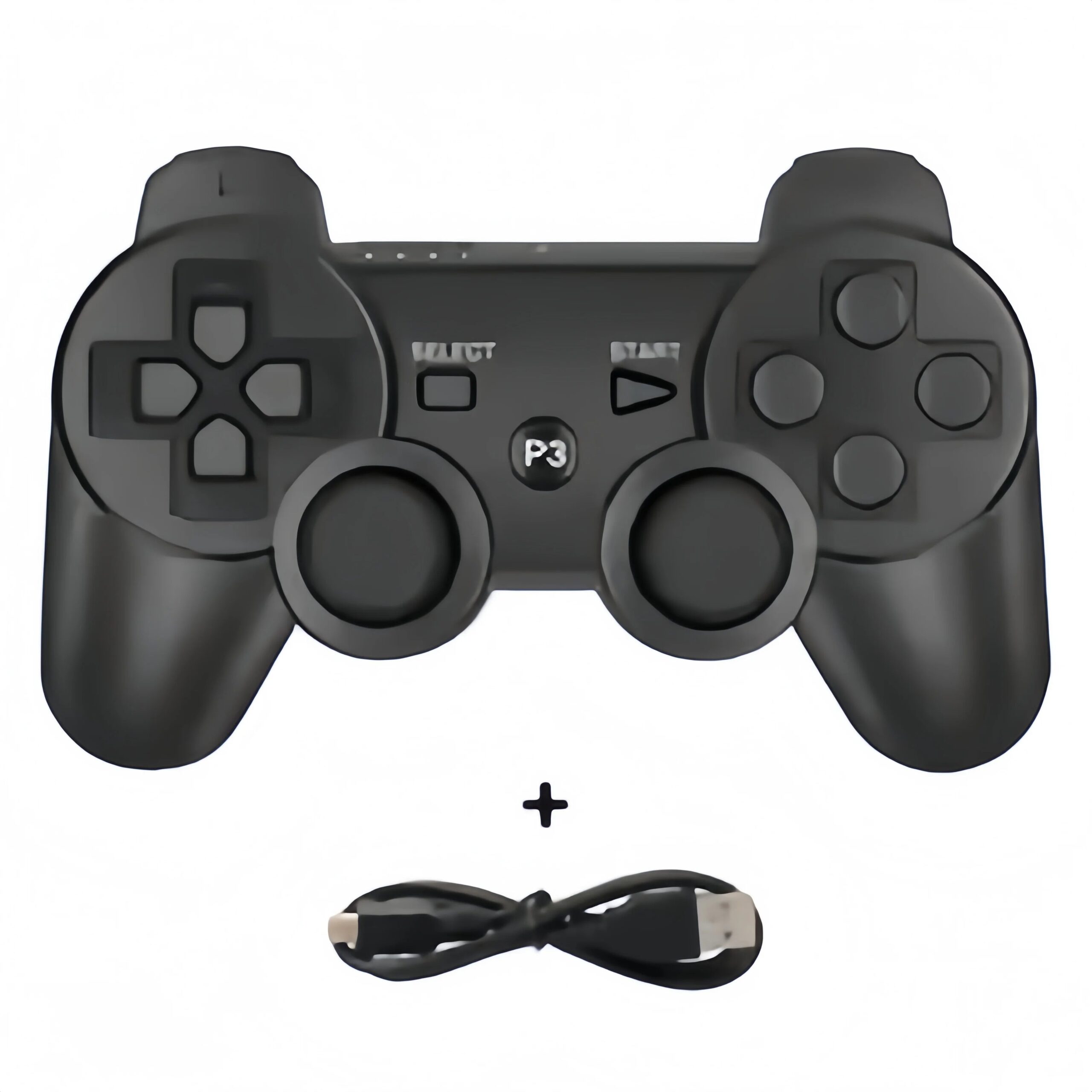
The Wireless Bluetooth Gamepad for PS3 is much more specialized than the newer multi-platform controllers. Its purpose is straightforward: keep a PlayStation 3 setup usable with a wireless Sixaxis-style controller.
That narrow compatibility is not a weakness if PS3 is the system you actually need to support. In fact, it can be better than buying a feature-heavy modern controller and then discovering that its PS3 mode is incomplete or requires an adapter.
See PS3 Wireless Gamepad compatibility & details →
10. 4-in-1 Wired Arcade Joystick: Arcade Controls Without Wireless Complexity
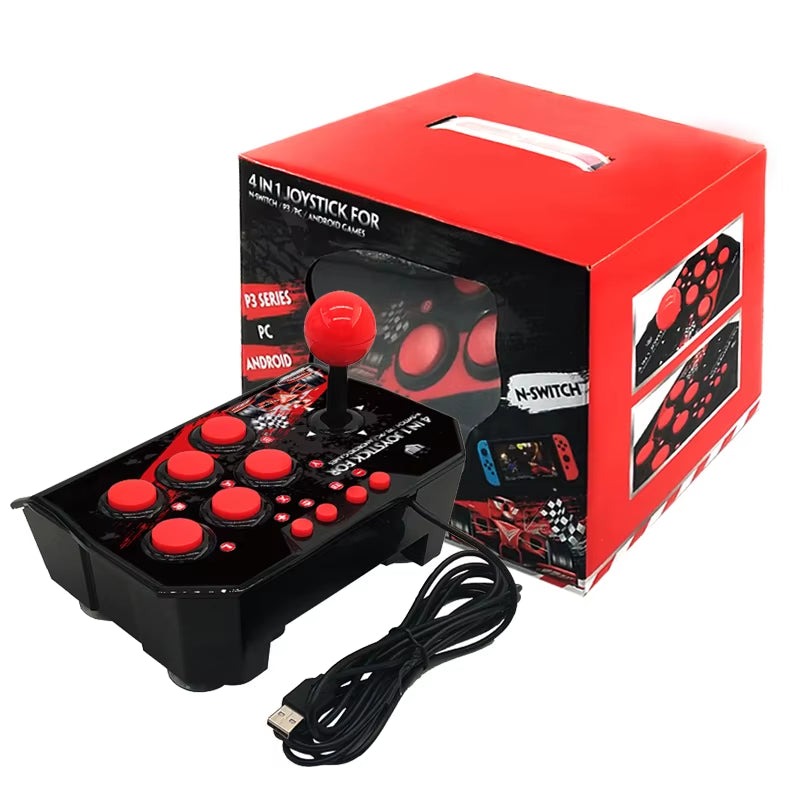
The 4-in-1 Wired Arcade Joystick shifts the buying decision away from analog-stick technology entirely. For fighting games, classic arcade titles and retro compilations, the lever and face-button layout can matter more than Hall Effect thumbsticks or Bluetooth convenience.
The current GearReady listing highlights a 3-meter USB cable, turbo function and compatibility with Switch, PS3, PC and Android TV. The long cable is especially practical in a living room because it preserves the reliability of wired input without forcing you to sit directly in front of the display.
Check 4-in-1 Arcade Joystick platform support →
11. Wired Arcade Game Joystick: A Larger Dedicated Arcade Option
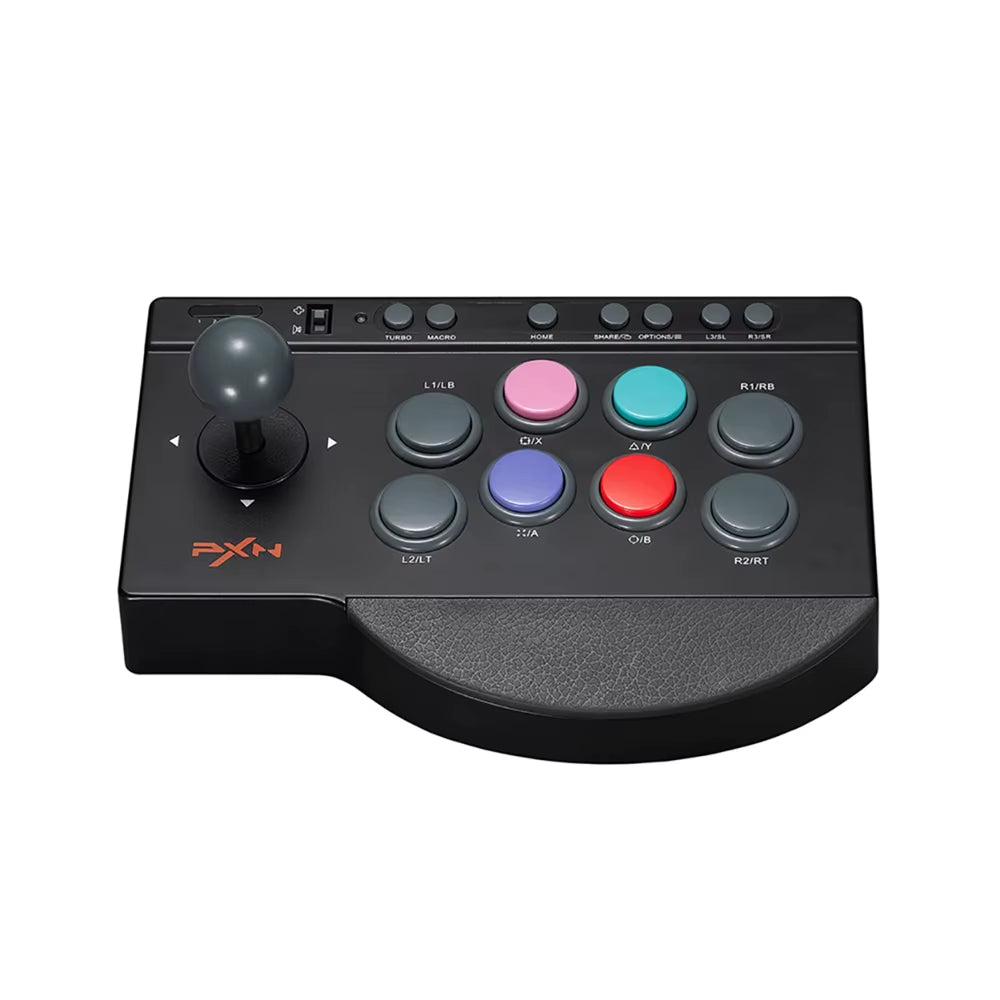
The Wired Arcade Game Joystick is the broader-platform arcade option in the collection, with the listing naming PS3, PS4, Switch, PC, Android TV and Xbox support.
For arcade hardware, platform compatibility deserves extra scrutiny because console authentication and adapter requirements can vary. If you are buying specifically for an Xbox generation or one console, confirm the exact model and any required mode or adapter on the live listing before ordering.
See Wired Arcade Joystick compatibility & details →
12. GameSir Cyclone 2: TMR Sticks, Hall Triggers and Modern Multi-Platform Connectivity
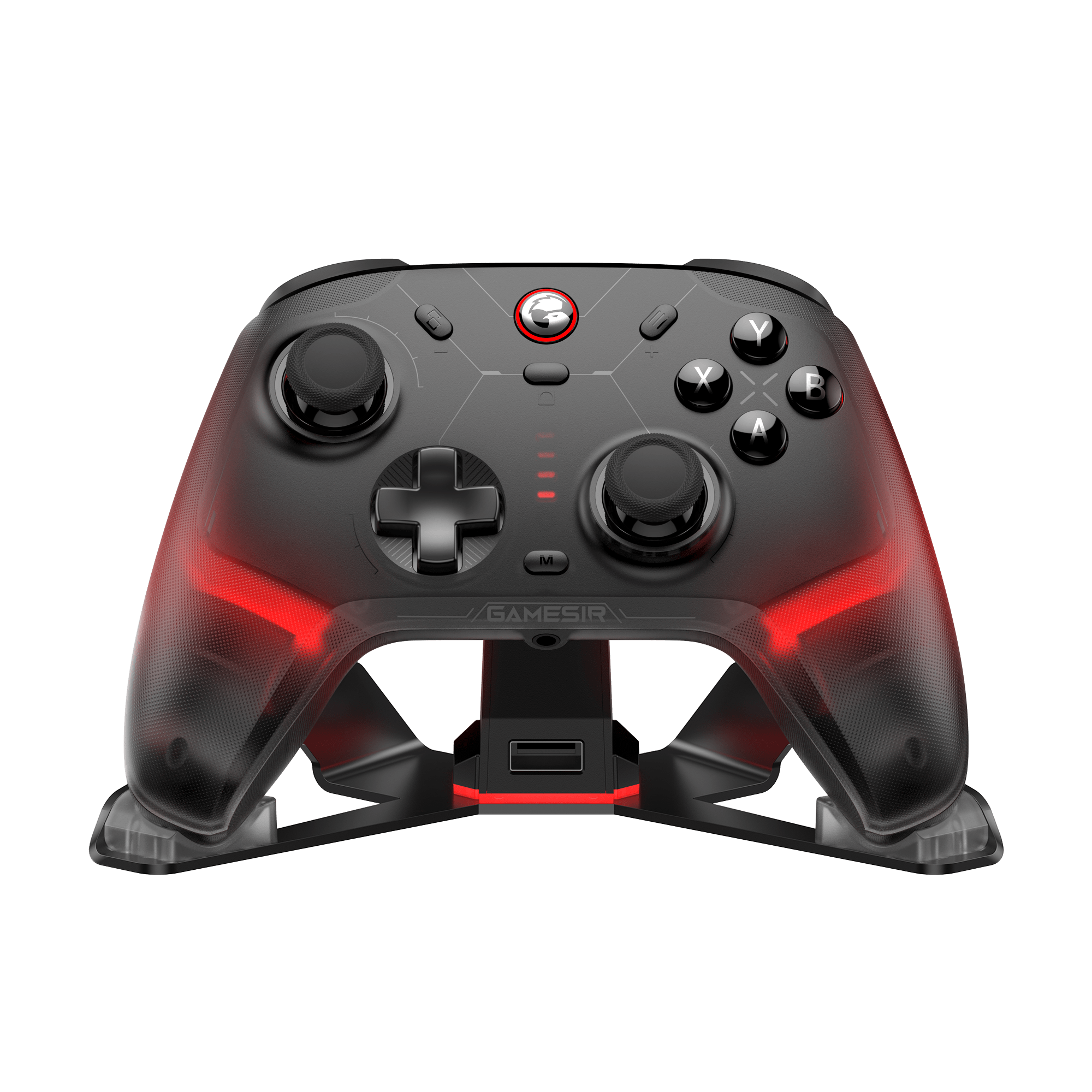
The GameSir Cyclone 2 is one of the most technically interesting controllers represented in the collection because its current GameSir specifications separate the stick and trigger technologies: TMR sticks handle thumbstick sensing while Hall Effect analog triggers handle trigger input. GameSir also lists wired, Bluetooth and wireless-dongle connection modes, plus support across PC, Switch-family devices, Android and iOS.
That makes the Cyclone 2 a strong fit for someone who moves between modern platforms and wants magnetic sensing without assuming that every magnetic controller is simply ‘Hall Effect everywhere.’ It is also a good reminder to read the component-level specification instead of relying on one buzzword in the product title.
Check GameSir Cyclone 2 availability & details →
Bluetooth vs 2.4GHz vs Wired USB: Which Connection Should You Choose?
Bluetooth: Best for convenience and mobile devices
Bluetooth is built into many laptops, phones, tablets, handhelds and TV devices. It is the easiest connection when you do not want a separate receiver. For casual play, travel and mobile gaming, that convenience is hard to beat.
The downside is variability. Input delay, reconnection behavior and controller features can depend on the Bluetooth implementation, operating system and controller mode. A Bluetooth logo alone does not tell you how the controller will behave in every game.
2.4GHz wireless: Best when you want a dedicated wireless link
A 2.4GHz controller normally uses its own USB receiver. That costs you a USB port, but it can provide a more purpose-built connection than generic Bluetooth. It is especially useful for desktop PC gaming, living-room emulation and Android TV boxes with an available USB port.
The practical downside is simple: receivers can be lost, and the host device has to support the receiver. If you travel frequently, Bluetooth may be easier.
Wired USB: Best for simplicity, power and predictable connectivity
Wired USB eliminates charging and pairing. If your controller stays at a PC desk, arcade cabinet or console station, a cable is often the least complicated solution. The 8BitDo Ultimate C and both arcade joysticks in this collection are good examples of cases where wired design is a feature, not a compromise.
Polling Rate: What 1000Hz Actually Means
Polling rate describes how frequently a controller can report input to the host. A 1000Hz figure means up to 1,000 reports per second under the supported mode. In theory, higher reporting frequency can reduce the time between your physical input and the host receiving that state.
But do not buy on the number alone. The game, display refresh rate, controller firmware, wireless mode and total system latency all contribute to what you actually feel. A well-built controller with stable firmware and good ergonomics can be a better purchase than a poor controller carrying a bigger polling-rate number.
Also check which mode gets the headline rate. A controller may advertise a high rate in wired or 2.4GHz mode while Bluetooth operates differently.
XInput vs DirectInput on Windows
For Windows gaming, XInput compatibility is often the easiest path for modern games. Microsoft’s documentation explains that XInput was designed around XUSB-style game controllers and is simpler for modern Xbox-style controller support, while DirectInput remains a legacy input system used by older titles and specialized devices.
That distinction matters because a controller can physically connect to Windows and still expose different behavior depending on which input mode it uses. Microsoft’s comparison notes, for example, that certain XInput features such as independent trigger behavior and vibration are not represented the same way through the legacy DirectInput mapping.
Practical rule: if a PC controller offers an XInput mode and your games are modern, start there. Use DirectInput or another mode when a specific older game, emulator or specialized application requires it.
Platform Compatibility Comes Before Every Other Feature
The most important rule in any game controller buying guide is also the least glamorous one: will the controller work correctly with your exact device? A Hall Effect controller with a 1000Hz claim is useless if it does not support the console or operating mode you need.
Before buying, verify:
- the exact console generation or operating system;
- whether support is wired, Bluetooth, 2.4GHz or mode-specific;
- whether a USB receiver or adapter is required;
- whether motion, vibration, touchpad, audio or back buttons work on that platform;
- whether the controller can receive firmware updates;
- whether XInput is available for Windows games when that matters.
Do not assume that ‘Bluetooth compatible’ means ‘compatible with every Bluetooth console.’ Consoles can impose their own authentication and controller-support rules.
How to Choose for Retro Gaming and Android TV
Retro gaming changes the priorities in this game controller buying guide. For classic 2D systems, D-pad quality and button layout can matter more than advanced analog-stick sensors. For a television game box, the distance from the couch and available USB ports may determine whether Bluetooth, 2.4GHz or wired USB makes sense.
If you are building a living-room setup, start with our Best Retro Gaming Devices for Your TV guide. If you are deciding whether your next retro device should be portable or TV-first, see Retro Handheld vs Game Stick: Which Is Better?
For Android TV and small emulation boxes, the Wireless 2.4G controller and the 4-in-1 arcade joystick are especially relevant because their GearReady listings explicitly target TV-box or Android-TV-style use. For PC emulation, almost the entire collection becomes an option once you confirm the input mode.
Game Controller Buying Guide Checklist
Use this order instead of shopping by marketing buzzwords:
- Platform: PC, Xbox, Switch, PlayStation, Android TV, iOS/Android or Linux/retro box.
- Connection: wired USB, Bluetooth, 2.4GHz receiver or a multi-mode controller.
- Input technology: traditional potentiometer, Hall Effect, TMR or an arcade lever/button layout.
- Game type: shooters, racing, fighting, retro 2D, platformers or general couch gaming.
- Ergonomics: offset vs symmetrical sticks, D-pad location, grip size and weight.
- Secondary features: gyro, vibration, turbo, rear buttons, RGB, charging dock, audio jack.
- Software/firmware: remapping, calibration, update support and mode switching.
- Live listing check: confirm current availability, exact compatibility and current price before purchase.
Bottom Line: Buy for Your Platform First, Then the Technology
The smartest way to shop this 12-controller lineup is not to ask which controller has the longest feature list. Ask which controller fits your system and your games with the fewest compromises.
For Xbox and Windows with no need for wireless, the 8BitDo Ultimate C is the clearest fit. For cross-platform Hall Effect performance, the Machenike G1 deserves attention. For a higher-end multi-mode desk-and-couch setup, the Machenike G5 Pro V2 makes more sense. Switch-first buyers have several choices, including the Linyuvo KS42, G6 and Wireless Bluetooth Pro Controller. Retro and Android TV users should look hard at the 2.4G controller and the wired arcade options. And buyers who want modern magnetic sensing across several platforms should compare the GameSir Cyclone 2 with the Hall Effect alternatives rather than treating all magnetic controllers as identical.
The main rule is simple: compatibility first, connection second, sensor technology third, extras last. That order prevents you from paying for a great specification that does not improve the way you actually play.
Want a broader gaming comparison?
After comparing the GearReady controller lineup, browse Amazon Video Games Best Sellers for additional controllers, consoles and gaming accessories.
Affiliate disclosure: PCFix411 may earn a commission from qualifying purchases.